Introduction to Create
Overview of Omnidocs Create
Omnidocs Create is a document generation solution aimed at organizations and companies that create a large volume of documents on a daily basis. It's designed to offer seamless and efficient document creation while guaranteeing compliance and consistency.
TABLE OF CONTENTS
What does Omnidocs Create do?
Omnidocs Create allows you to add data to a document as it's being created with greater precision, speed, and admin control than doing it directly in Microsoft 365 apps.
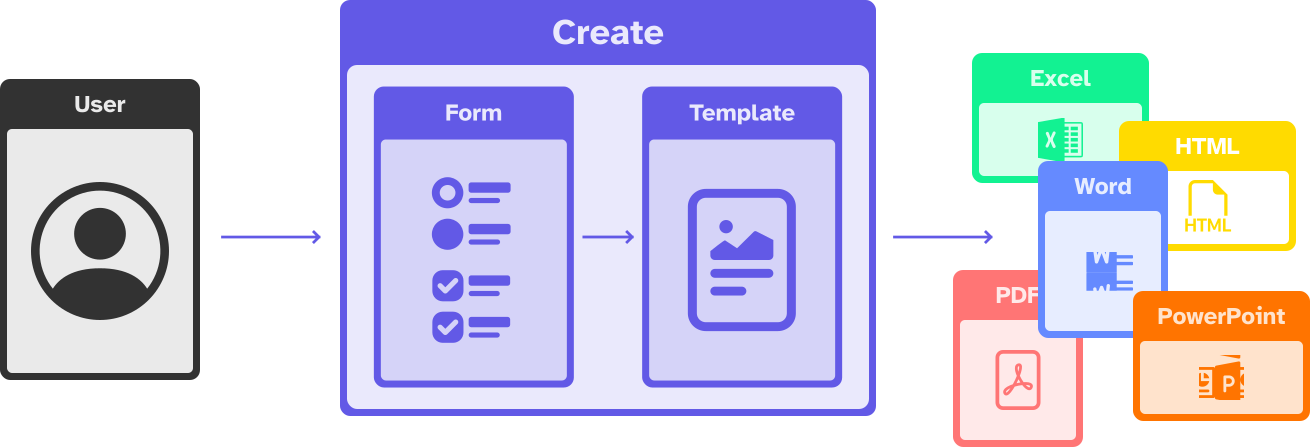
The flow can be started from Omnidocs Create...
Create can also be started from and retrieve data from any system that you're using. This lets you use data that you already own to generate documents without unnecessary user input.
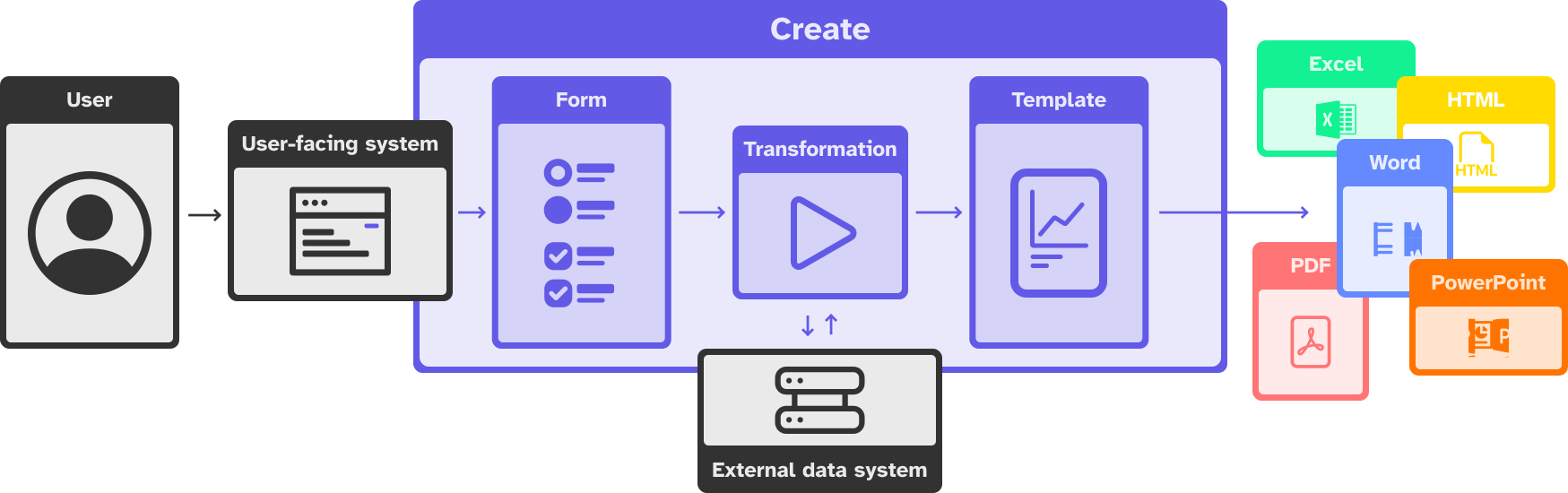
...or directly from any system that you might be using.
How does Create work?
In Create, documents are created from recipes. A recipe dictates how documents are generated from input data. It is made up of the template, form and transformation.
A template is a document with placeholders that indicate which data should be inserted where to yield a finished document. It can be a report, a presentation, or even a website.
A form is the interface through which the users input values that populate the document and influence its final appearance.
A transformation is a query for data that's provided from an external system and the form. The transformation is often used to format or reshape the received data.
All in all, recipes provide rules for how to generate documents from the input. To get there, we always work with you on translating your business logic into document flows.
Why Omnidocs Create?
Create aims to be as simple as possible and as powerful as necessary. Create helps you to:
- Automate generation of .docx, .pptx, .xlsx, .pdf, and .html files from templates.
- Tailor the document generation experience to your caseworkers' needs.
- Integrate to numerous external systems.
- Automate processing of data supplied to templates.
- Translate your business logic into your document logic.
- Create documents that represent your brand.
Was this article helpful?
That’s Great!
Thank you for your feedback
Sorry! We couldn't be helpful
Thank you for your feedback
Feedback sent
We appreciate your effort and will try to fix the article