Bindings
Word
Creating Word recipes
This section will guide you through inserting dynamic data in your recipes with bindings. The bindings are mostly accessed through the Insert button in the top-ribbon of the editor.
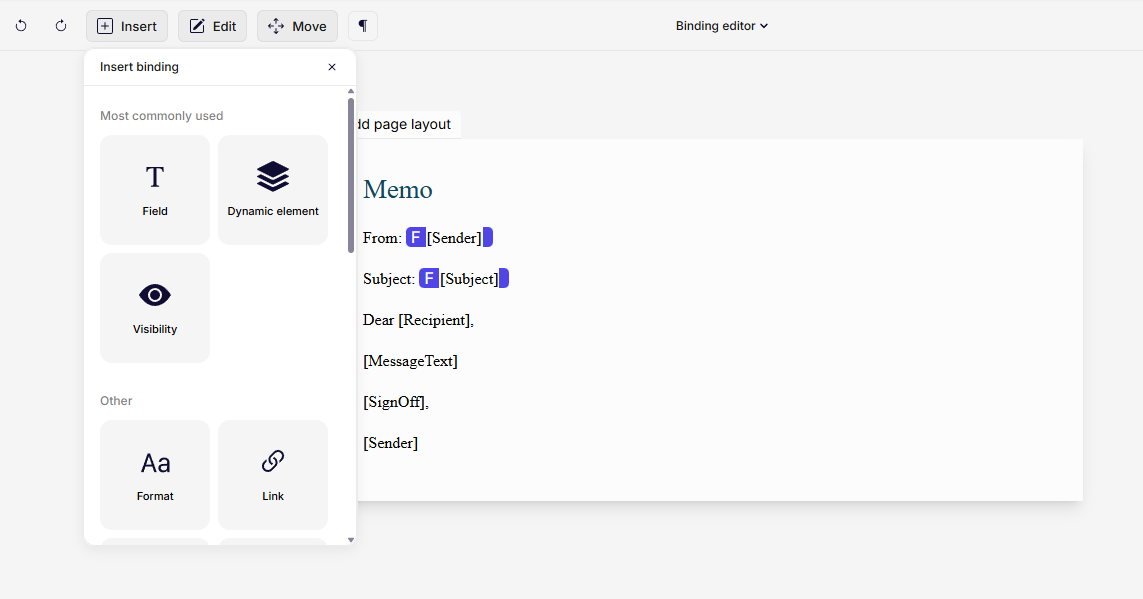
Binding editor
The placement of the binding in the recipe defines exactly where the data is inserted, while the key defines what data is inserted.
ℹ️ The Binding Editor supports adding most bindings directly in the editor. However, for Charts and Images, there must be a Rich text or Image content control added in Word before using the Editor to insert these bindings.
The different binding types will be explained in-depth in the articles in this chapter.
Here is an overview of all Word bindings:
Was this article helpful?
That’s Great!
Thank you for your feedback
Sorry! We couldn't be helpful
Thank you for your feedback
Feedback sent
We appreciate your effort and will try to fix the article