Captures
Save data for filling out forms
A capture in Create Classic is a set of saved responses to form fields. When a response to a form field is saved to capture, we say it's captured. Apply a capture to a form to prefill the form with the saved responses.
The responses can then be edited to adjust them as necessary for that specific document, and saved if there should be any changes to the captured responses.
Access Captures from the right side of the top bar of the user interface.
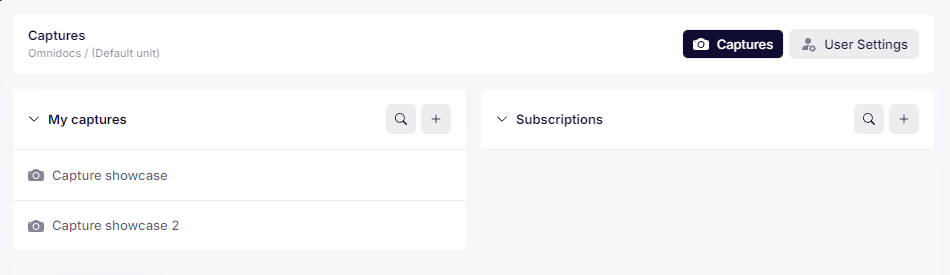
Accessing Captures.
? The setting Can capture answer on each form field is required for users to be able to capture values. By default, Can capture answer is off.
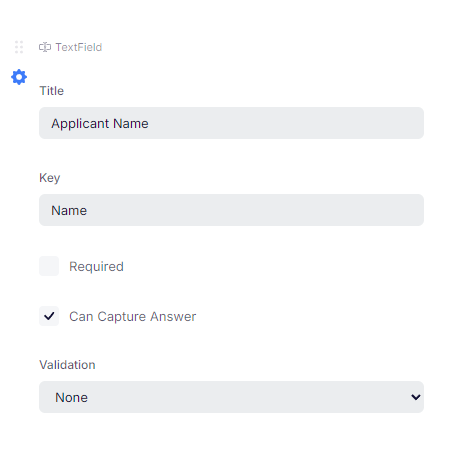
A Name field whose value can be captured.
Subscriptions
Users can subscribe to captures made by others, which allows them to use the captures as their own. Subscriptions are also accessed in the Captures tab. When a user is removed, their captures are still available to the subscribers until they remove the subscription themselves.
Updates to captures are reflected in other users' subscriptions immediately.
Further reading
- Our how-to guide to captures.
- Virtual recipes, a similar feature also used to minimize unnecessary form work.
Was this article helpful?
That’s Great!
Thank you for your feedback
Sorry! We couldn't be helpful
Thank you for your feedback
Feedback sent
We appreciate your effort and will try to fix the article