Taskpane logic
The Accessibility Assistant task pane was originally run in an Internet Explorer window, but was in the latest version changed to Webview2.
Version number
The version number of the release in question is based on calendar versioning - the date of the release and the number of builds that day.
The syntax is
YY.MM.DD.[Build number]
Example:
22.11.30.1 is released on 30'th of November 2022 and it is the first build
It can be read in the task pane along with the Java version and as a file property.
Accessibility Assistant version shown in task pane
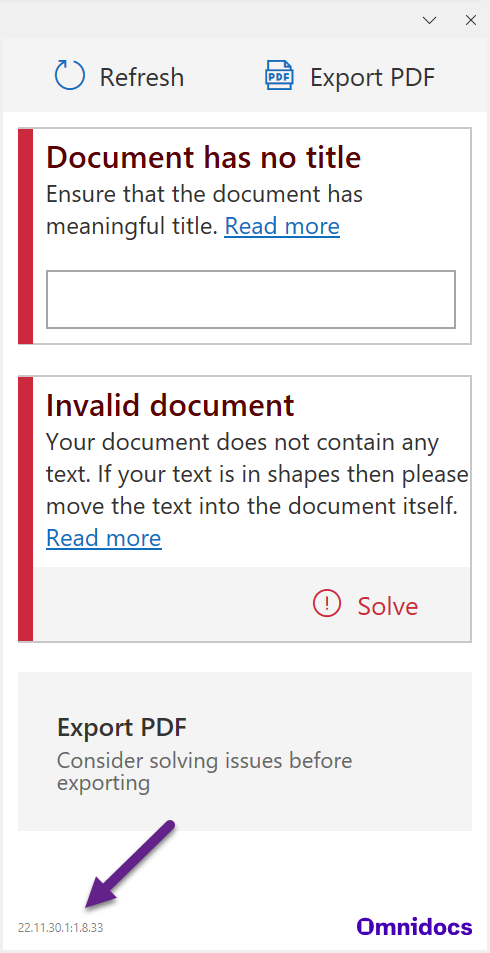
The task pane shows the version number in the lower left corner.
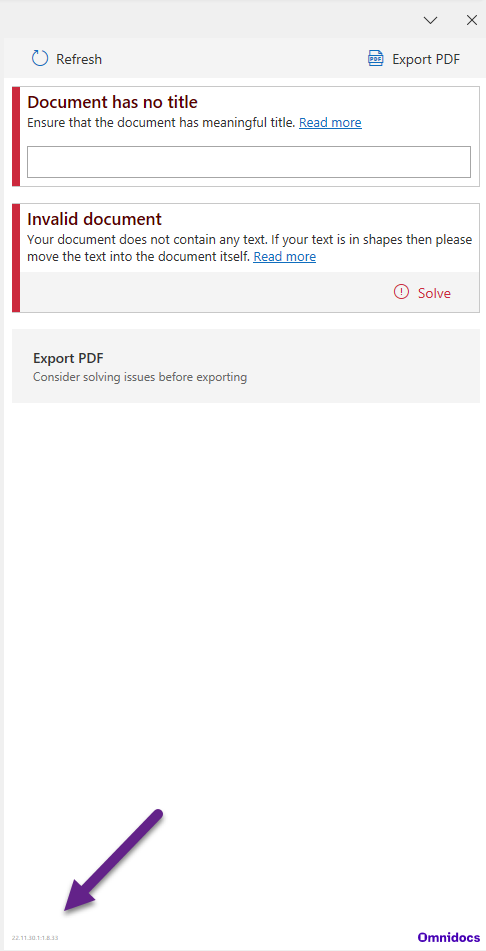
To read the number in task pane CTRL + scroll to zoom in
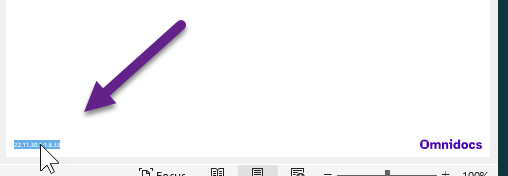
or click three times on the number to select it for copy and paste outside the task pane
The task pane shows the version number of the Accessibility Assistant release and the Java version (executable JAR with dependencies) separated by a colon.
Example (Accessibility Assistant release number blue and Java version green):
22.11.30.1:1.8.33
Accessibility Assistant version information at file level
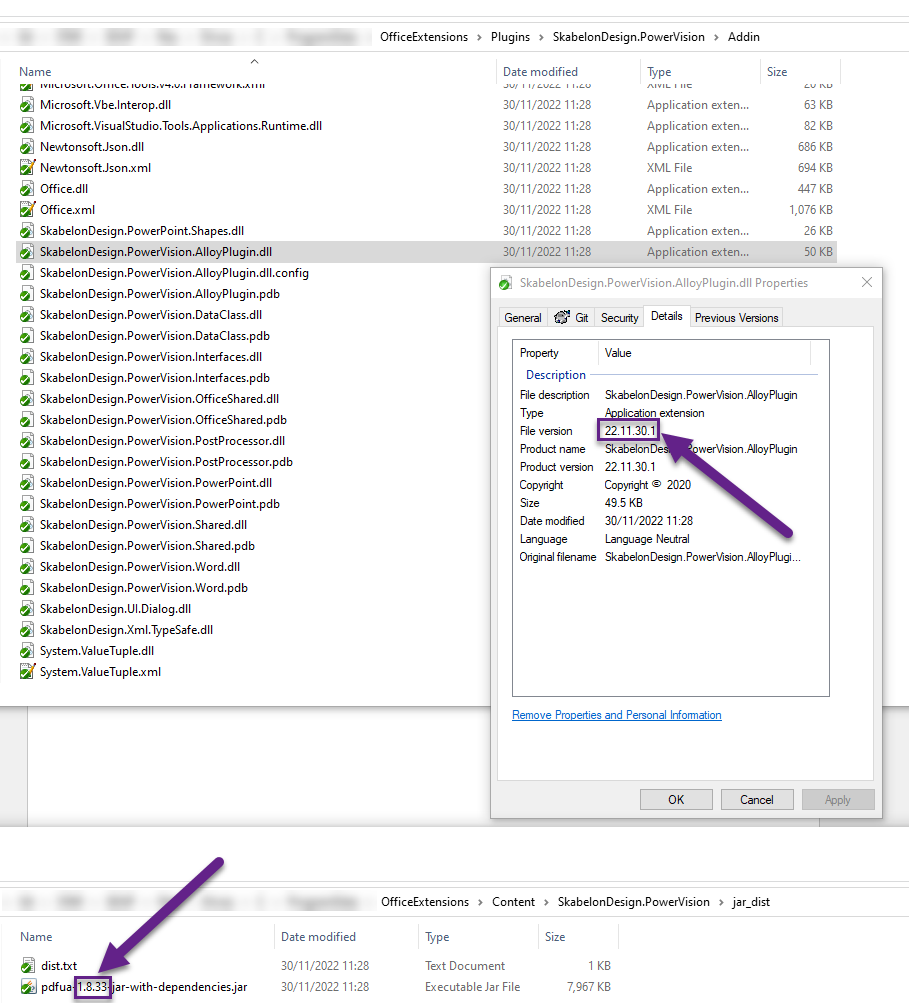
At the file level the same information can be derived.
The AA release number is in the File version property of the file %Plugins%\SkabelonDesign.PowerVision\Addin\SkabelonDesign.PowerVision.AlloyPlugin.dll
The Java version is part of the file name in the .jar file in the folder, %Content%\SkabelonDesign.PowerVision\jar_dist
Was this article helpful?
That’s Great!
Thank you for your feedback
Sorry! We couldn't be helpful
Thank you for your feedback
Feedback sent
We appreciate your effort and will try to fix the article