We are able to control the formatting of highlighted reference fields in Word.
CMD:
XML
<Cmd case="BaseExtensions:change-reffield-format" Letterformat="xx" Mergeformat="xx"/>Parameters:
Letterformat
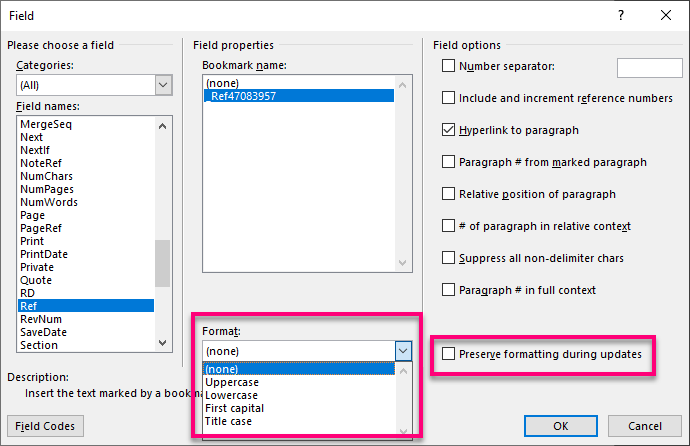
This controls the letter formatting of highlighted reference fields (see image below).
Can be Upper, Lower, Caps and Firstcap
Mergeformat
Optional. True or False. Toggles enabling of the MERGEFORMAT switch.
These settings are controlled using above command:
Was this article helpful?
That’s Great!
Thank you for your feedback
Sorry! We couldn't be helpful
Thank you for your feedback
Feedback sent
We appreciate your effort and will try to fix the article