We are able to add and apply custom colors to both Word, PowerPoint and Excel. This feature enables to add colors with name and color value using RGB, which can be saved as a xml file for further use. This functionality is located in SD.Tools.
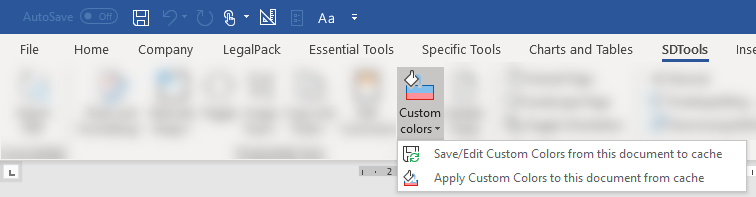
Save and edit custom colors
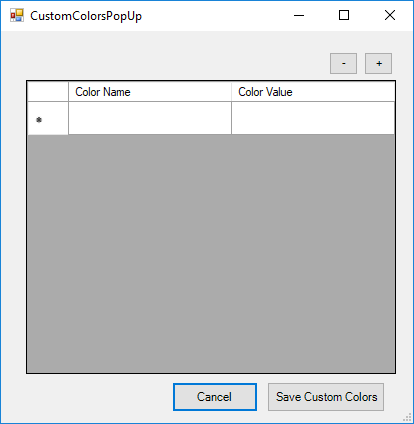
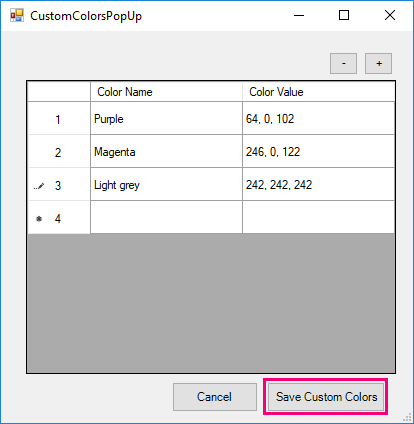
This will open an interface, where colors can be added with name and value. The color value must be specified using RGB, and it is important use comma.
When the needed colors are added, they can be saved by clicking "Save Custom Colors".
Apply custom colors to document
When clicking "Apply Custom Colors, the document will update and add the saved colors. These can now be found in colors in the Home tab.
Was this article helpful?
That’s Great!
Thank you for your feedback
Sorry! We couldn't be helpful
Thank you for your feedback
Feedback sent
We appreciate your effort and will try to fix the article