This feature enables to add a blank document property in both Word, PowerPoint and Excel. Using the command below, we can insert one or several document properties.
CMD
<Cmd case="BaseExtensions:init-docprops" Names="x"/>
Parameter
Names
Define the name for the blank document property that is to be created. If you want to add more than one document property at a time, separate the names with semicolon.
Here is an example:
<Button label="Initialize doc props">
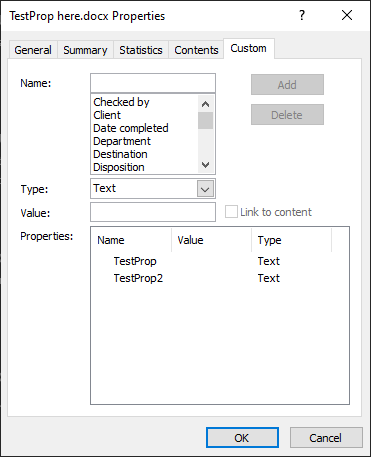
  <Cmd case="BaseExtensions:init-docprops" Names="TestProp;TestProp2"/>
</Button>
With this command, two blank document properties have been created with the specified names.
Note that this feature differs from the content-create feature in two important ways:
- The content-create feature CANNOT be used to create document properties with a space as a value, init-docprop can.
- The init-docprop feature can be used to create multiple document properties with a single cmd, content-create cannot
For creating a docprop aswell as asserting a value for it, please refer to this article
Was this article helpful?
That’s Great!
Thank you for your feedback
Sorry! We couldn't be helpful
Thank you for your feedback
Feedback sent
We appreciate your effort and will try to fix the article