This is a tool for copying slide(s) from one presentation and paste into another. The feature paste from the clipboard, and thus ensures that the slide(s) will be inserted without the master.
This feature opens a dialogue box where the user is allowed to select which layout in the current presentation the copied slide should be inserted as.
Here is an example:
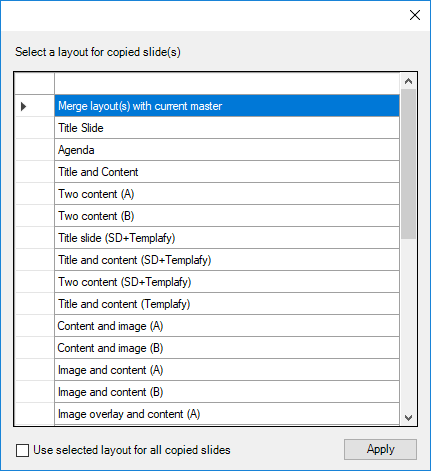
The first option, "Merge layout(s) with current master", will insert the slide with the master and thus not paste it as an existing layout in the current presentation.
If there are several slides to be inserted, the layout must be selected slide by slide. The user can check off the box "Use selected layout for all copied slides" if the various slide should be inserted as the same layout.
Module is located here:
...\ModuleLibrary\BaseExtensions\01_nocontext_Tools\34_P_pasteSlideWithoutMaster.xmlCMD
<Cmd case="BaseExtensions:paste-slide"/>
Was this article helpful?
That’s Great!
Thank you for your feedback
Sorry! We couldn't be helpful
Thank you for your feedback
Feedback sent
We appreciate your effort and will try to fix the article