BaseExtensions can be used to alter coordinates of a shape in PowerPoint. The user must select a shape and apply new coordinates in the pop up dialog.
Module is located here:
...\ModuleLibrary\BaseExtensions\01_nocontext_Tools\18_P_shapePosition.xmlThis feature makes it possible to do the following:
- Read location data on selected shape (the location data from the XML structure with all digits).
- Write new location data to selected shape(s). Either X or Y coordinates or just one coordinate.
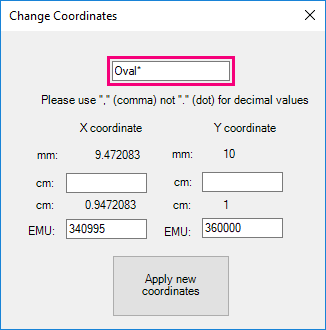
- Write new location data to shapes with a specific name using wildcards. Just like 2), but without a selection requirement. When using wildcards, type the specific name followed by *, e.g. "test*", thus all shapes that contain "test" in their names will be adjusted.
- Read coordinates of a shape.
See below.
CMD
<Cmd case="BaseExtensions:change-shapes-coordinates-popup"/>
The feature supports cm and EMU, and it is possible to type in a x-coordinate and y-coordinate. If both x and y are 0, the shape will be placed in the top left corner of the slide.
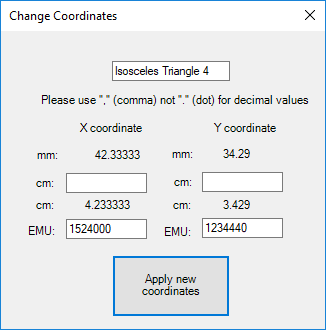
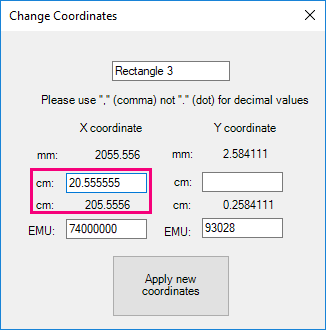
It is only possible to type in 5 characters in cm. If you type in 6 or more, the number will round up, as visualized below, and remember to use a comma to define decimal values. The EMU value must not contain a value with comma.
If you have several similar shapes, which should be placed in the same coordinates, it is possible to add a star (*) after the name and all shapes with the name will follow the coordinates made.
Was this article helpful?
That’s Great!
Thank you for your feedback
Sorry! We couldn't be helpful
Thank you for your feedback
Feedback sent
We appreciate your effort and will try to fix the article