It is possible for us to run commands on all Word documents in a folder (but not the subfolders).
CMD
<Cmd case="BaseExtensions:run-for-all"> ... </Cmd>
The ... is where you insert the command(s) you want to be run.
Parameters
Following parameters has been implemented to correspond to a client use-cases.
UpdateFooterProperties
This parameter can be true or false (default).
If true it will open a dialog that enables the user to update footer properties for all the documents.
If false it will not open the dialog and only run the nested commands defined on all documents.
SelectRunMacros
This parameter can be true or false (default).
If true it will open a dialog that enables the user to select which macros should be run on all documents.
If false it will not open the dialog and only run the nested commands defined on all documents.
Example
Consider the folder in the screenshot below.
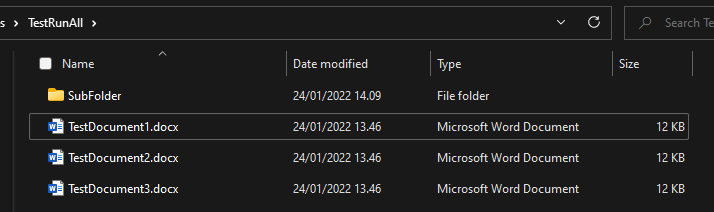
Here we have a folder with three Word documents and a subfolder. We can use the following button on one of the documents.
<Button label="Run something on all documents" icon="Repeat" size="large">
     <Cmd case="BaseExtensions:run-for-all">
          <Cmd case="BaseExtensions:change-named-style-font-color" name="Normal" color="255,0,0"/>
     </Cmd>
</Button>
This will open each of the documents in the folder, run the command case="BaseExtensions:change-named-style-font-color", save the document and finally close it.
Note that this will not apply for any subfolders. So any document that could be inside "SubFolder", would not be affected by this.
Also note, that this can take a long time to execute, since the command has to open all the documents and close them again.
Running macros
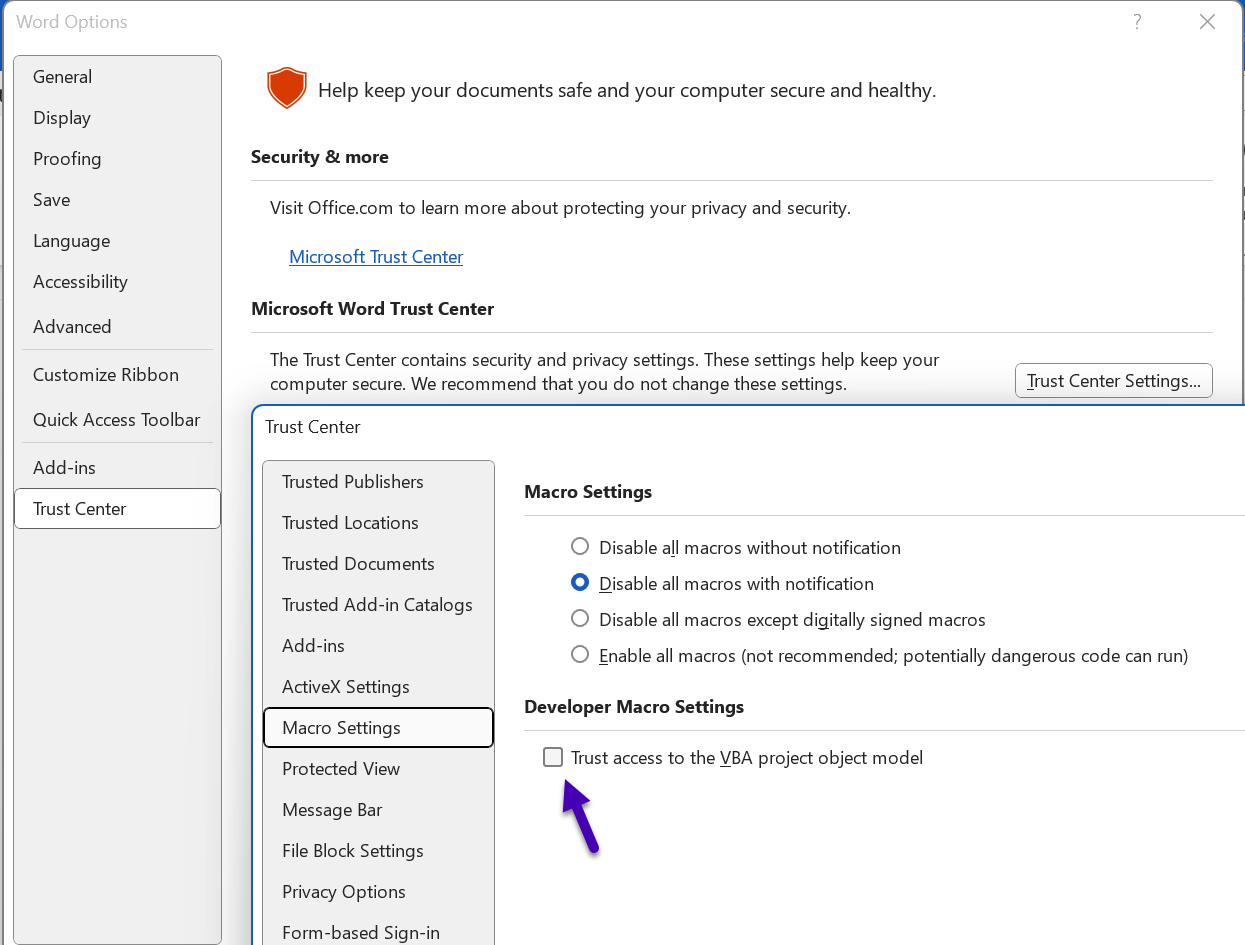
If running macros using SelectRunMacros="true" it is a requirement that those macros are allowed to run and that programmatic access to Visual Basic Project is trusted.
If the command fails to execute make sure to tick on the setting "Trust access to the VBA project object model".
Was this article helpful?
That’s Great!
Thank you for your feedback
Sorry! We couldn't be helpful
Thank you for your feedback
Feedback sent
We appreciate your effort and will try to fix the article