Contents
Design for Microsoft Office templates
We are specialists in designing for Microsoft Office! That's what we do!
We do a functional design based on technical compromises and opportunities. With a solid focus on productivity and usability. Sticking to Microsoft Office gives us a clear advantage compared to other agencies. Why? We're always on top of the newest technical compromises and embrace the need for productivity. Omnidocs’ in-depth knowledge of technical fundamentals and Office productivity helps our clients in taking long-lasting and user-oriented design decisions. You can depend on clear recommendations for design for Office built on our best practices and constantly growing technical knowledge, ranging from old technical compromises to brand new stuff appearing tomorrow with Office 365.
From a design perspective, we aim to stay as true to the brand as possible and therefore build upon brand guidelines and design principles.
In the design process, we use:
Design principles (from e,g. Brand guide/Brand standards/Corporate Visual Identity) to guide how elements are used.
Brand design elements like logo, super graphics/5th element, font(s), colors, etc.
Existing material that demonstrates the brand design principles. For example, current templates, presentations, posters, banners, social media elements, or website.
In designing a template, we adjust the Office standards supporting your corporate brand becoming available as a template of preset layouts.
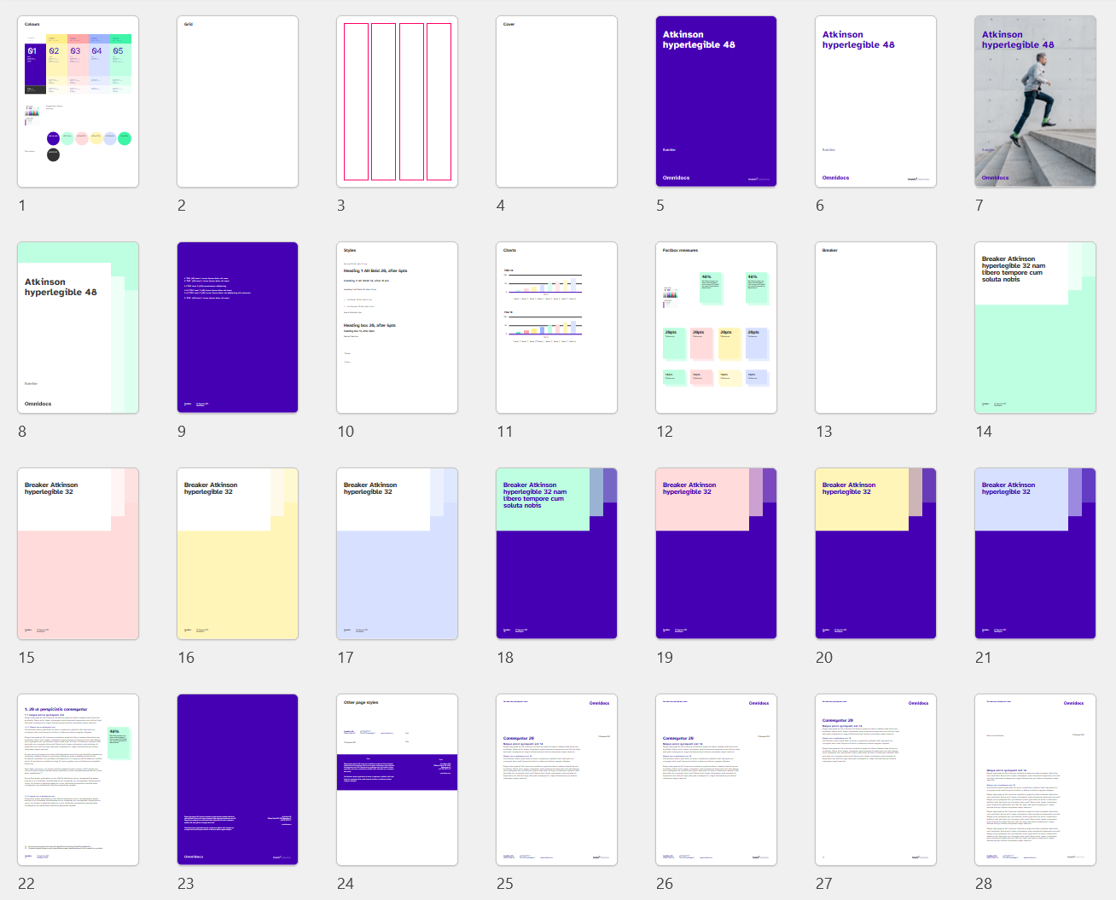
Word: Design for report
The settings include the basics like, color scheme, font theme, etc. But the real fun begins when your needs are being supported with variations of options enabling both productivity, brand, and communication situations.
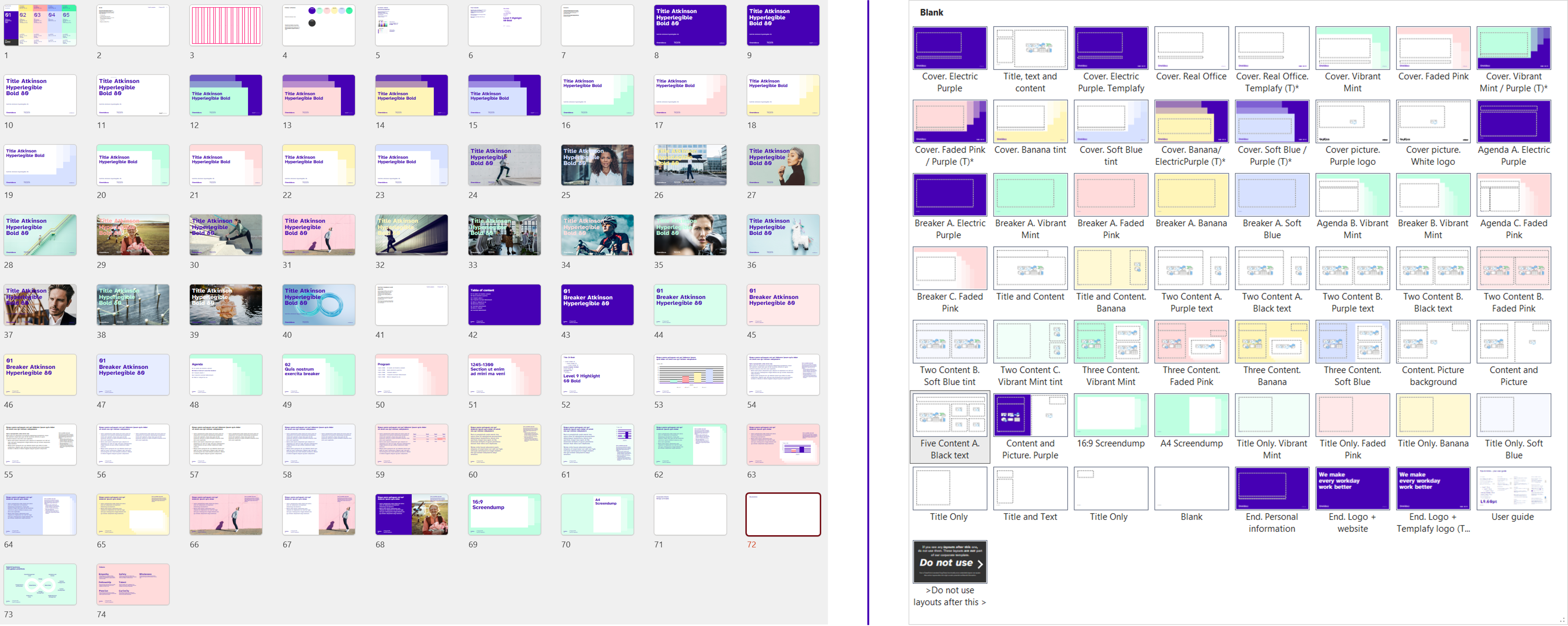
PowerPoint: Design proposal vs. template
To build out the design proposal we work with the following components:
Format is an important factor to discuss before the design process. If the primary purpose is printing, we often recommend a paper format like A4/Letter. If the digital output always is the primary purpose, we recommend the standard widescreen 16:9 format (H19.05 x W33.867 cm):
- Widescreen 16:9 format is the Microsoft Office standard format for default templates.
- Most companies use widescreen format for presentation purposes and are thus compatible with most external and internal presentations.
- Most screens are widescreen.
Grid and margins to create the frame for all content in the document and determine placement of elements. This directs and helps the user in placing elements. Also, conveys productivity for non-designers working in the same documents.
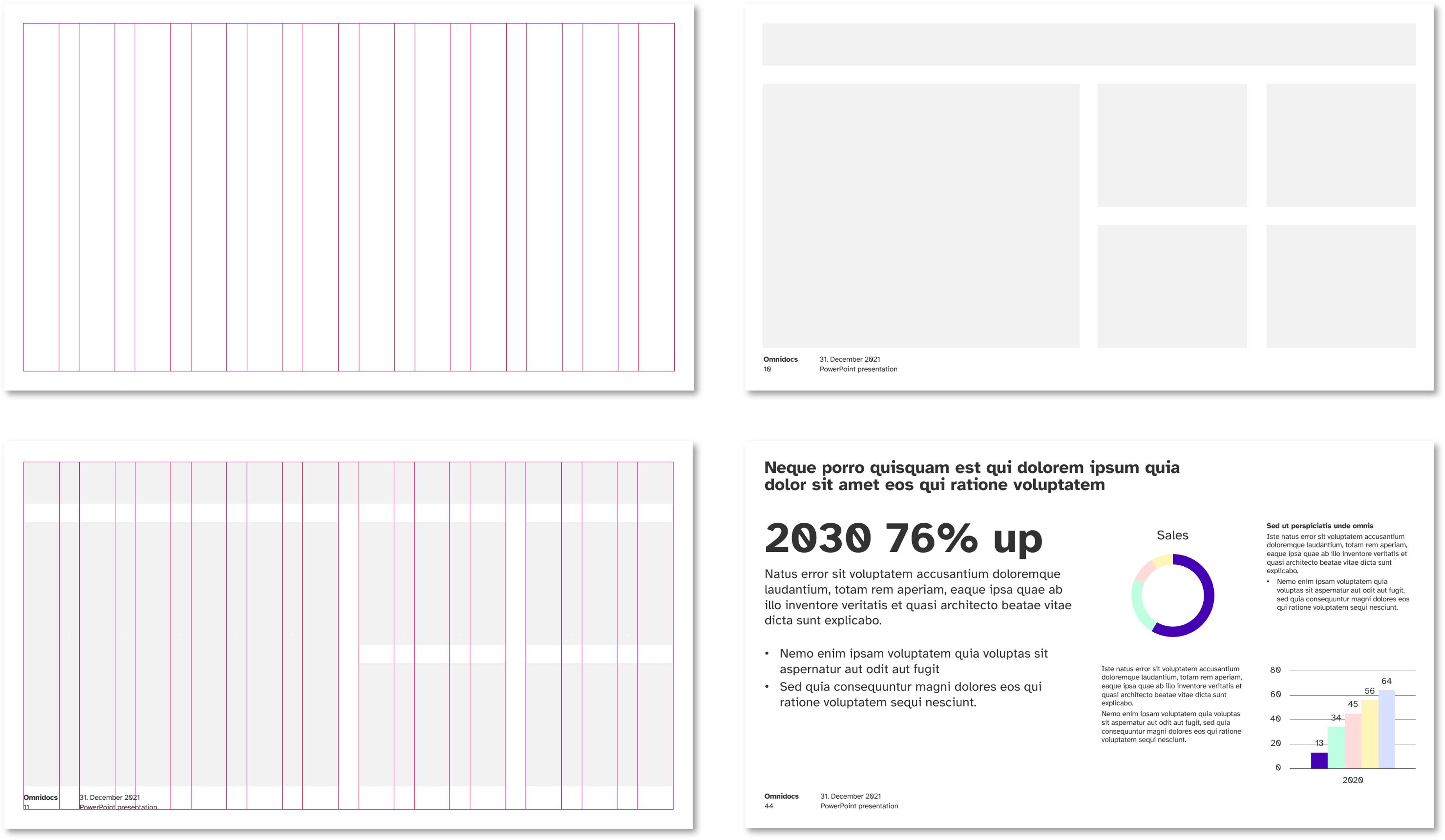
PowerPoint: The grid and placeholders in a layout. Right/bottom shows an example slide.
Fonts, whether custom or system font(s), supports the design and corporate visual identity. When embedding fonts to the template, the font weight will add to the template weight. This is one of the reasons why we recommend building in as few fonts as possible. Also keeping the font choice simple the user will have a fair chance to understand the use of font.
Text formatting as preformatted text is easy and productive to work with. In Word we recommend the use of Styles due to the standard functionality, which includes Headings, body, different bullets, Fact box Headings, Infographic support, and Table of Content. In PowerPoint we instead work with Text Levels in the text placeholders, to obtain a similar functionality and ease of use for the user.
Colors are assessed to best support the chart functionality, which is often the most valuable setting to focus on in the color theme. A color theme is limited in number of colors from your brand and aligned for all your Office documents, PowerPoint, Word, Excel, etc.
The design proposal illustrates the potential the user can build from the layouts available in the template.
Why is this our best practice?
Our approach is that form follows function. During the design process we assess the technical aspects surrounding the functionalities the document needs to align to. This provides well-functioning templates, which support cases such as copy/paste from old presentations, integrations to alternative systems, font tests, etc.
Any template design we do is based on brand design principles and brand design elements ensuring the template design will match and comply with the brand identity. Documents created from the template will look and feel like the brand design.
Designing for PowerPoint
The template does not carry any actual presentation content. The template only supports the core functionality of the document, helping users create presentation content. You can think of it as a kind of backend document setting.
This backend holds different kinds of settings like the color scheme, fonts and the consistent placement of logo, 5th element, headings, footer, etc. Plus, alternative types of layouts with placeholders supporting the users building presentation contents by creating slides and inserting images, adding text and bullets, injecting charts, tables, etc.
The template is as such your starting point when creating presentations. It ensures that you stay on brand and heightens productivity as you have all elements and possibilities available to build out your narrative.
Learn more tips and tricks from our PowerPoint Playbook.
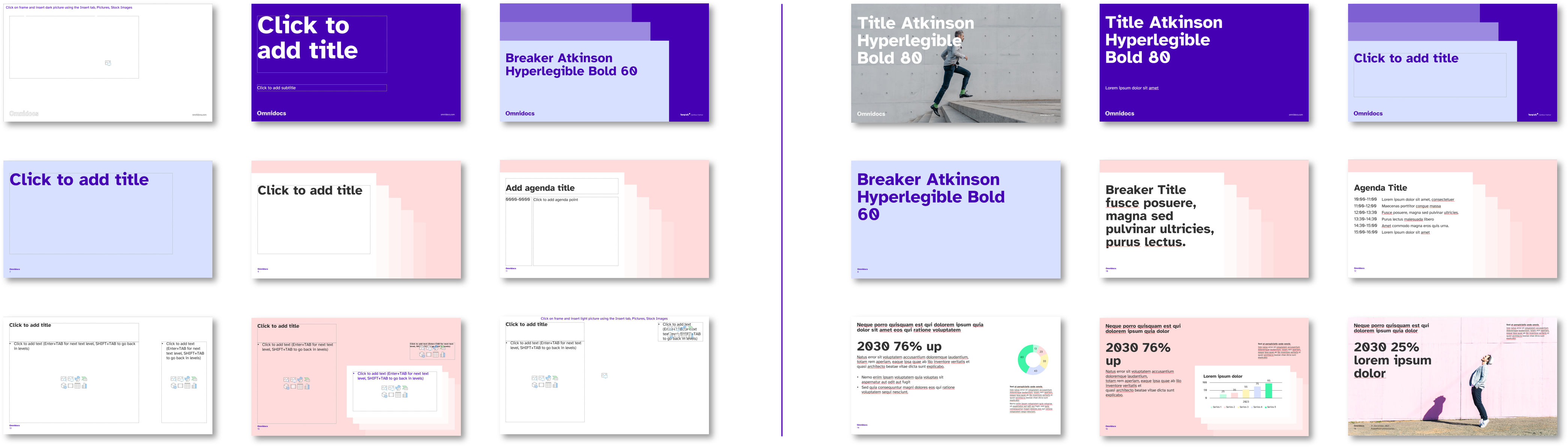
PowerPoint: Layouts vs. slides
Designing for Word
Word documents have different purposes. In our design process we consider these variations and build concepts encapsulating the complete Word document output. Both aligning brand expression but also technical settings.
A typical suite of Word documents includes:
- Blank
- Letter
- Memo
- Agenda / Meeting Minutes
- Report
Again, the template itself does not carry any actual document content. The template supports the user in creating their specific document, by having settings like the color scheme, fonts and the consistent placement of logo, 5th element, headings, footer, etc. defined.
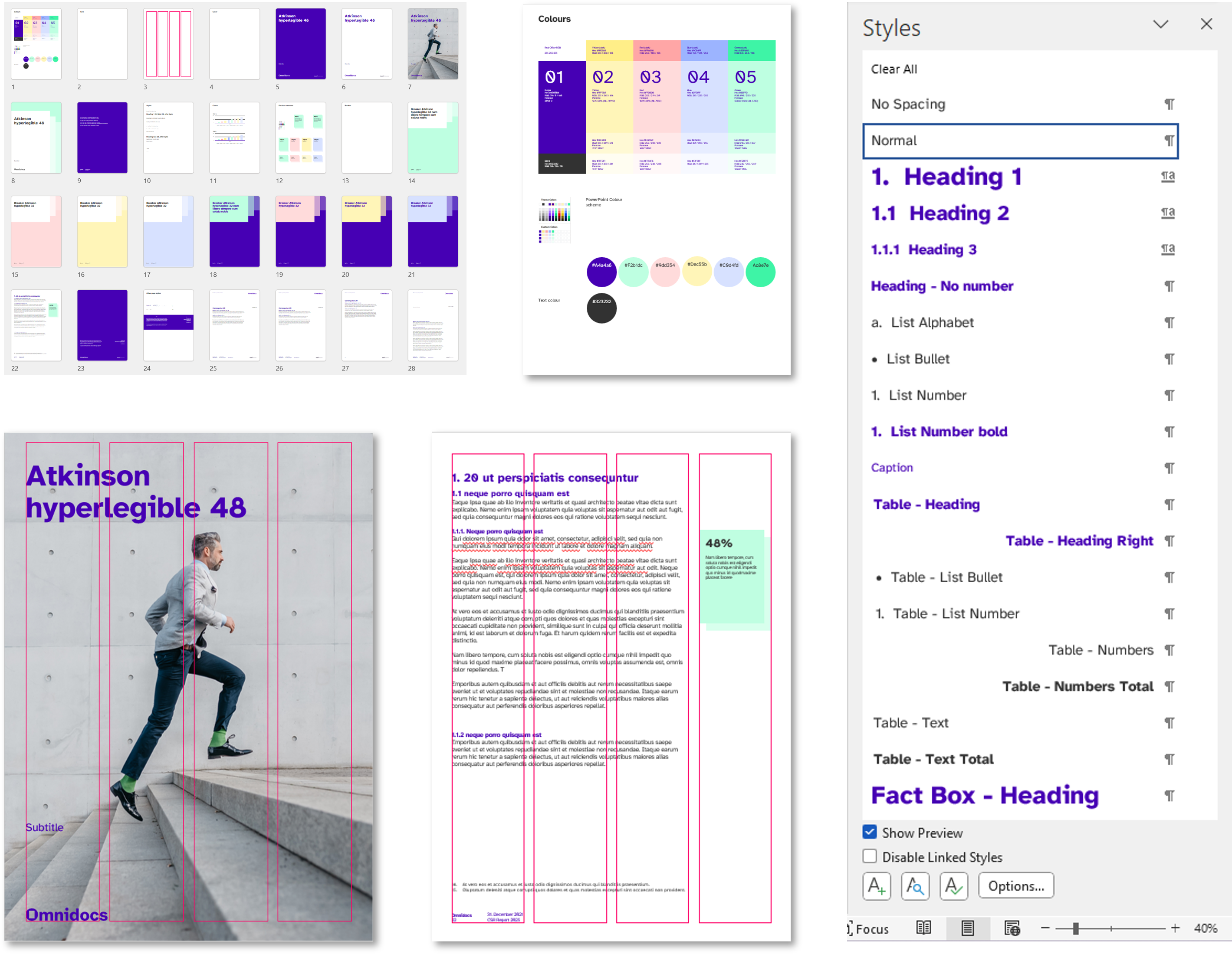
Word report: Design proposal, colors, grid, layouts and styles for text formatting
The templates ensure that you stay on brand and heightens productivity, as the different document types are readily available with all required elements defined.
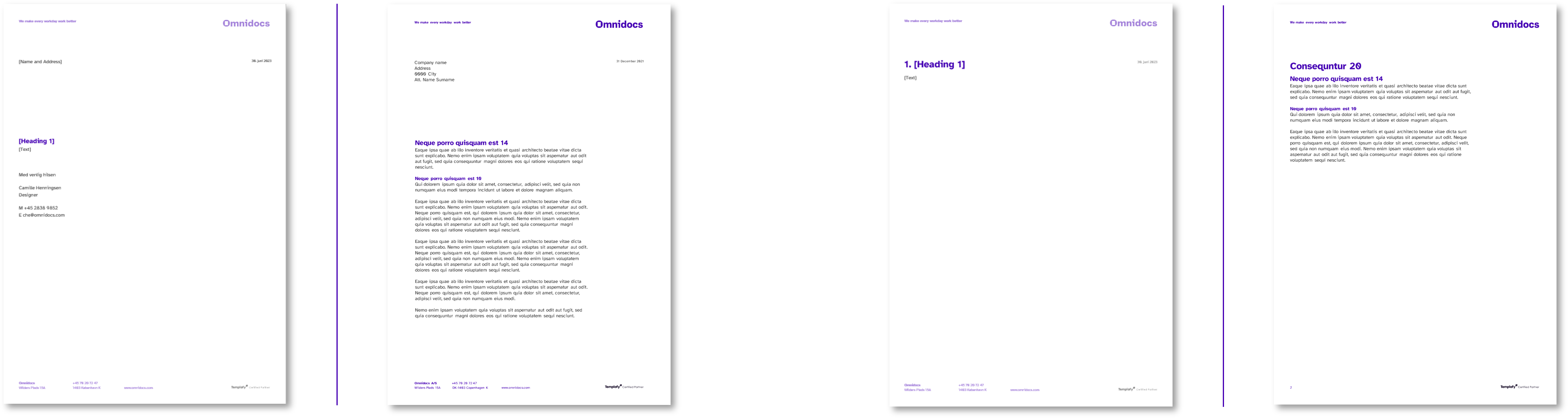 Letter template vs documents (Left) & Memo template vs documents (Right)
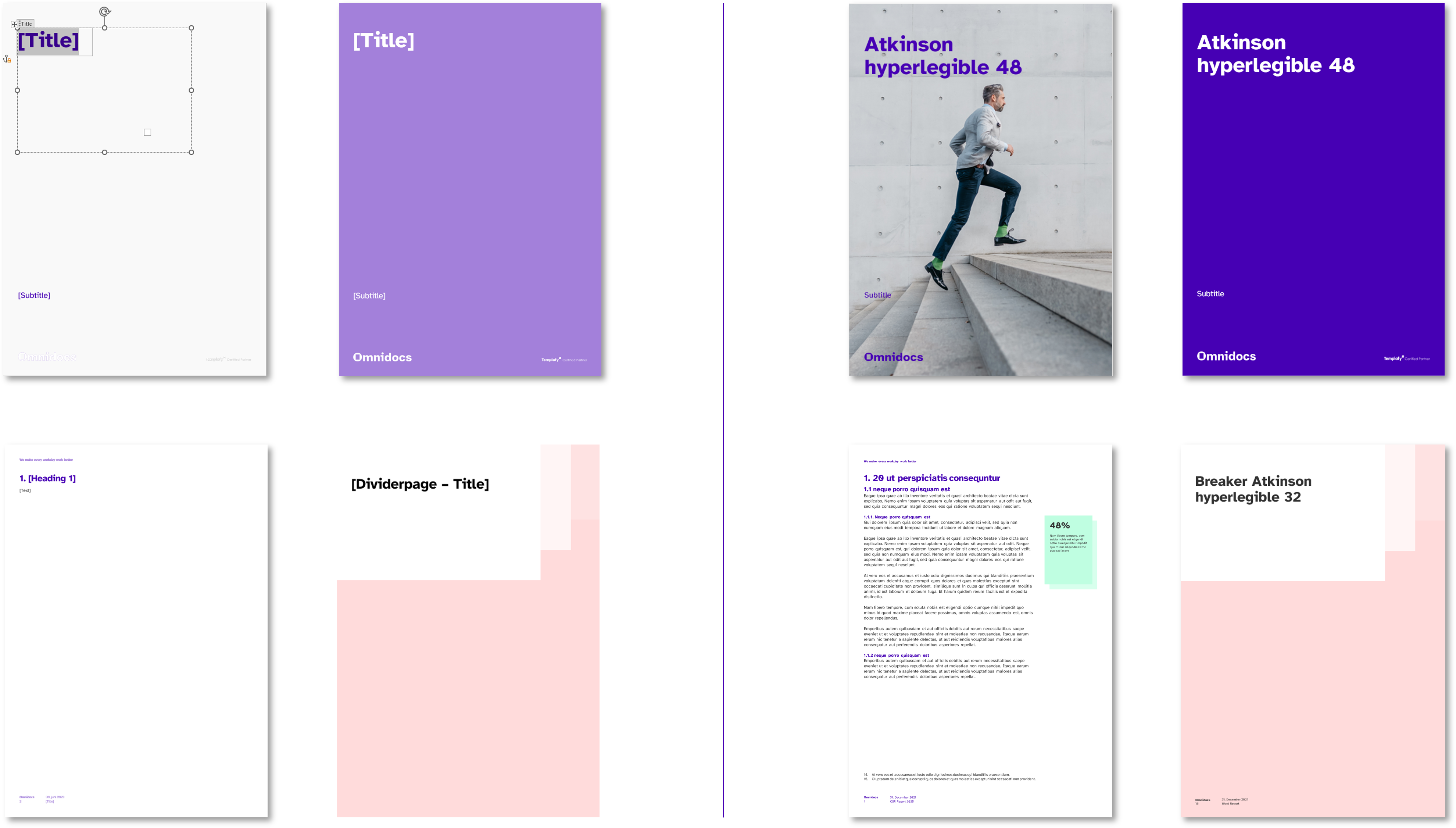 Report template vs document
Was this article helpful?
That’s Great!
Thank you for your feedback
Sorry! We couldn't be helpful
Thank you for your feedback
Feedback sent
We appreciate your effort and will try to fix the article