Create a document
Generate documents with Create
In this tutorial, we will generate a new document through Create by navigating to a template, filling out the Information Tree and clicking the "Create" button.
TABLE OF CONTENTS
- Prerequisites
- Navigate to the Create app and select a Template
- Fill out the Information Tree
- Generate the document
Prerequisites
- View access to a Create organization.
- At least one available template in your unit.
- A URL to your Create environment.
Navigate to the Create app and select a Template
First, you need to navigate to the Create app. In this example, we'll use the browser.
You will initially be met with an overview of your templates.
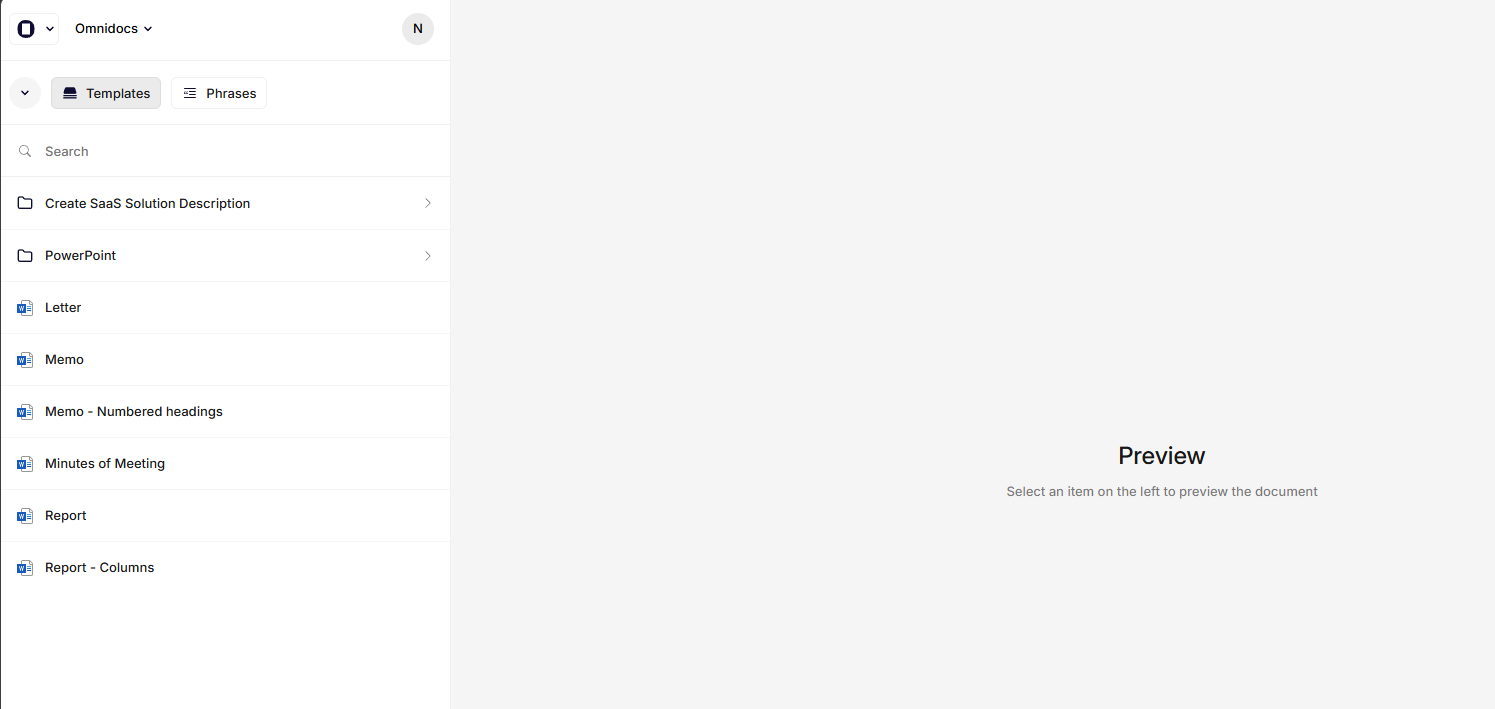
The Create App
From the list, select one of your templates by double-clicking.
You will now be met with an Information Tree on the left, and a preview of the output document on the right.
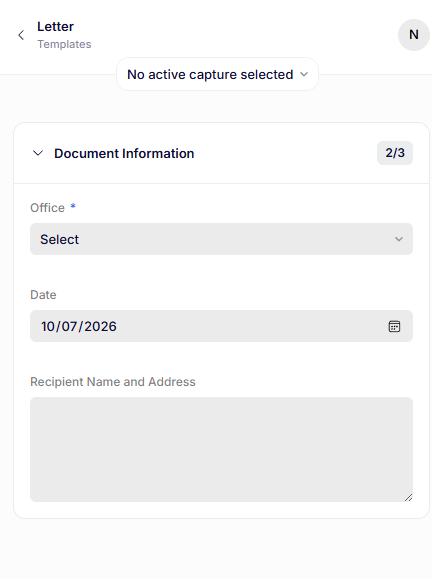
Recipe with form
Fill out the Information Tree
Now you are ready to fill out the Information Tree.
In order to be able to generate your document, you have to fill out all required fields first.
You can use the preview to see how your input affects the generated document.
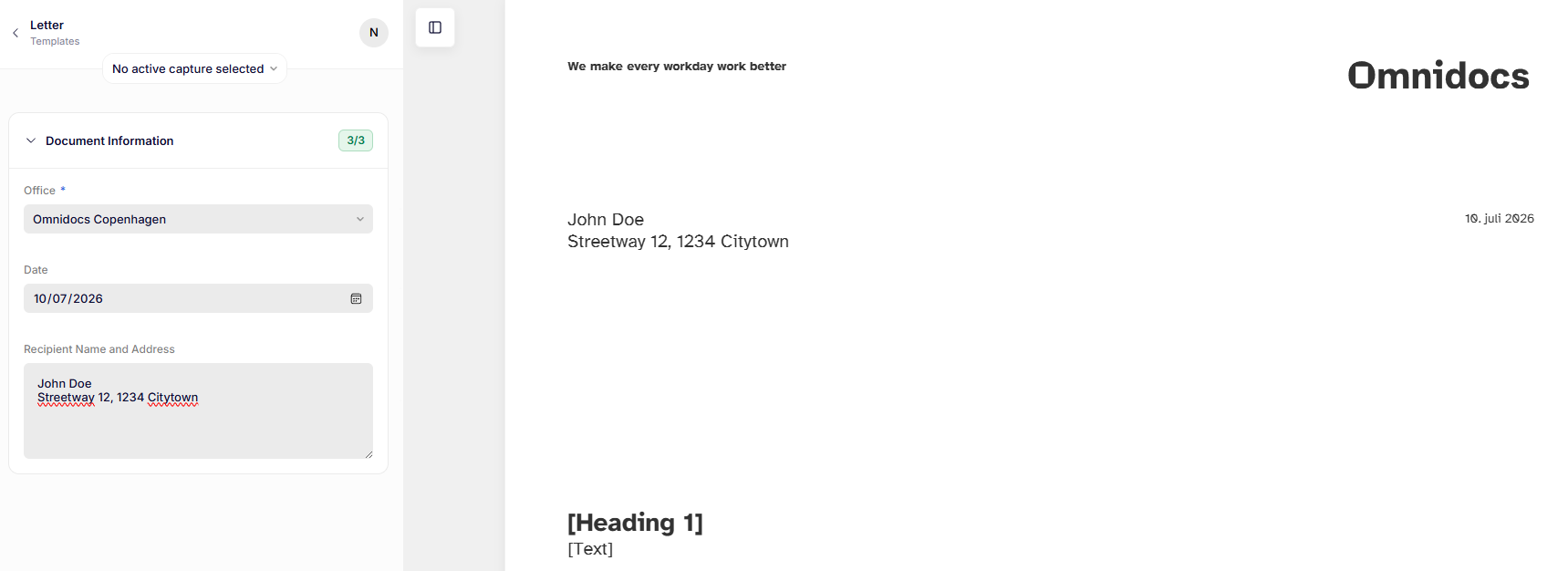
Preview of document with filled out Information Tree
Appendices
Some templates include appendices — fixed files such as terms and conditions or privacy policies that are automatically added to the end of every document generated from that template.
If the template you are using has appendices configured, you will see them appear at the end of the document in the preview.
No action is needed on your part. The appendices are appended automatically when the document is generated.
Format mismatch
If the output format you have selected is not compatible with one or more of the appendices, they will be discarded. This means some appendices cannot be included in the document in the chosen format.
You can choose to Cancel and change the output format, or proceed anyway to generate the document without the incompatible appendices.
Generate the document
With all required fields filled out, you are now ready to generate the document by adjusting the filename to your liking and clicking the Create button.
After clicking Create, a Word document will be downloaded with the name you chose.
You can now open the document and see the first document you have created!
Was this article helpful?
That’s Great!
Thank you for your feedback
Sorry! We couldn't be helpful
Thank you for your feedback
Feedback sent
We appreciate your effort and will try to fix the article