Generate documents with Create
In this tutorial, we will generate a new document through Create by navigating to a recipe, filling out the form and pressing the "Create" button.
TABLE OF CONTENTS
Prerequisites
- View access to a Create organization.
- At least one available recipe in your unit.
- A URL to your Create environment.
Navigate to the Create app and select a recipe
First, you need to navigate to the Create app. In this example, we'll use the browser.
You will initially be met with an overview of your recipes.
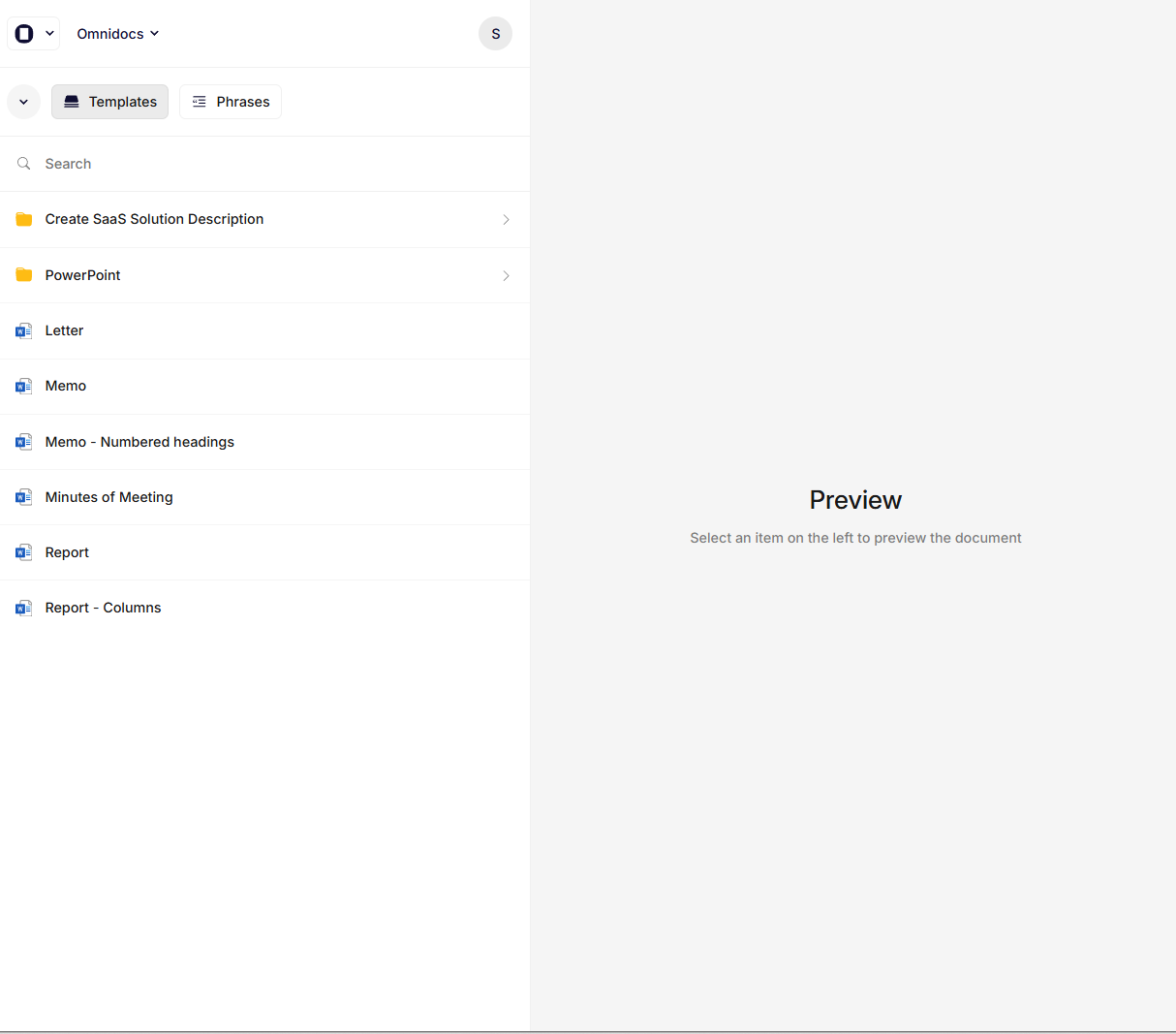
The Create App
From the list, select one of your recipes by double-clicking.
You will now be met with a form on the left, and a preview of the output document on the right.
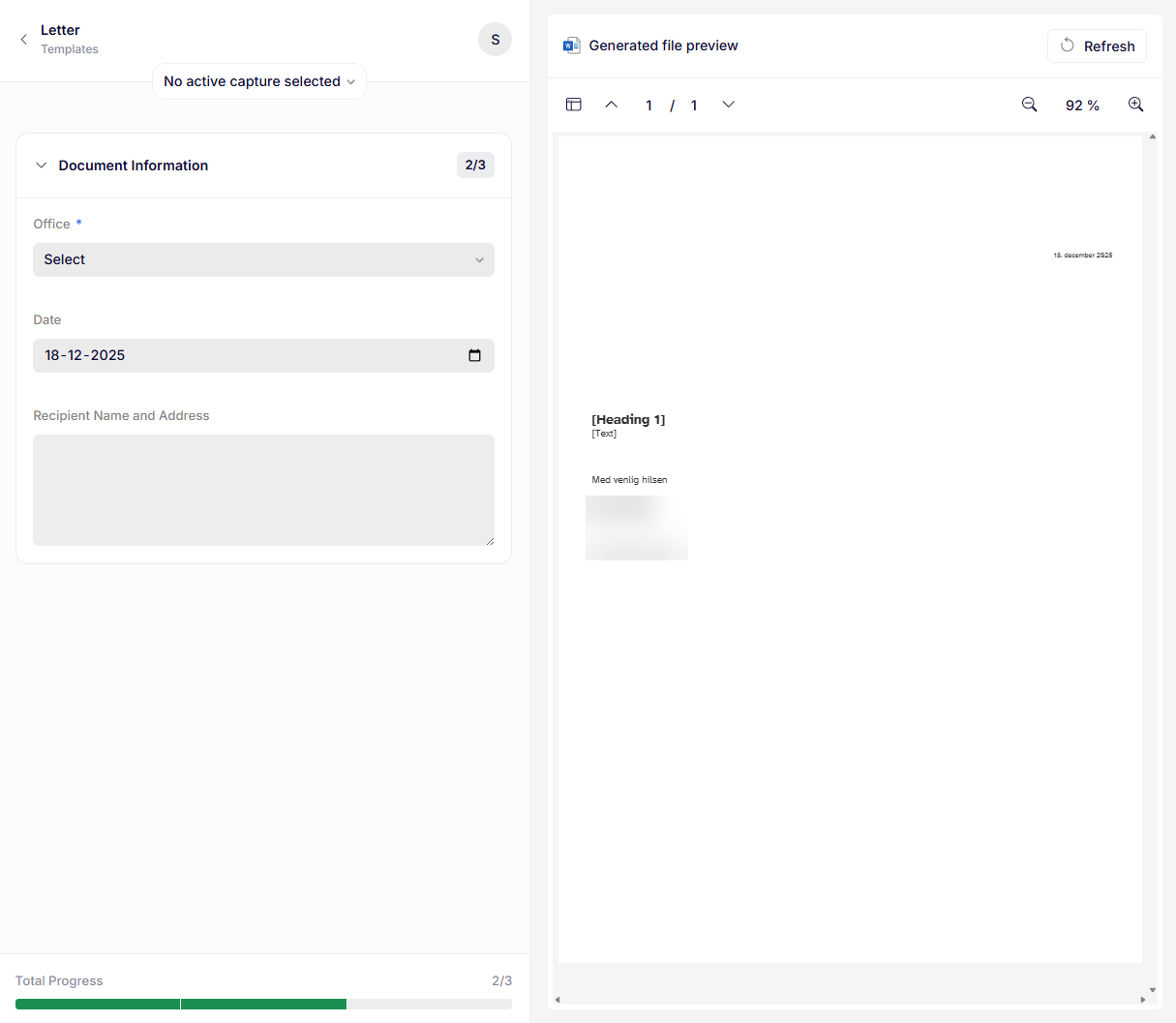
Recipe with form
Fill out the form
Now you are ready to fill out the form.
In order to be able to generate your document, you have to fill out all required fields first.
You can follow along in the preview, which consequences your inputs have on the outome of the document.
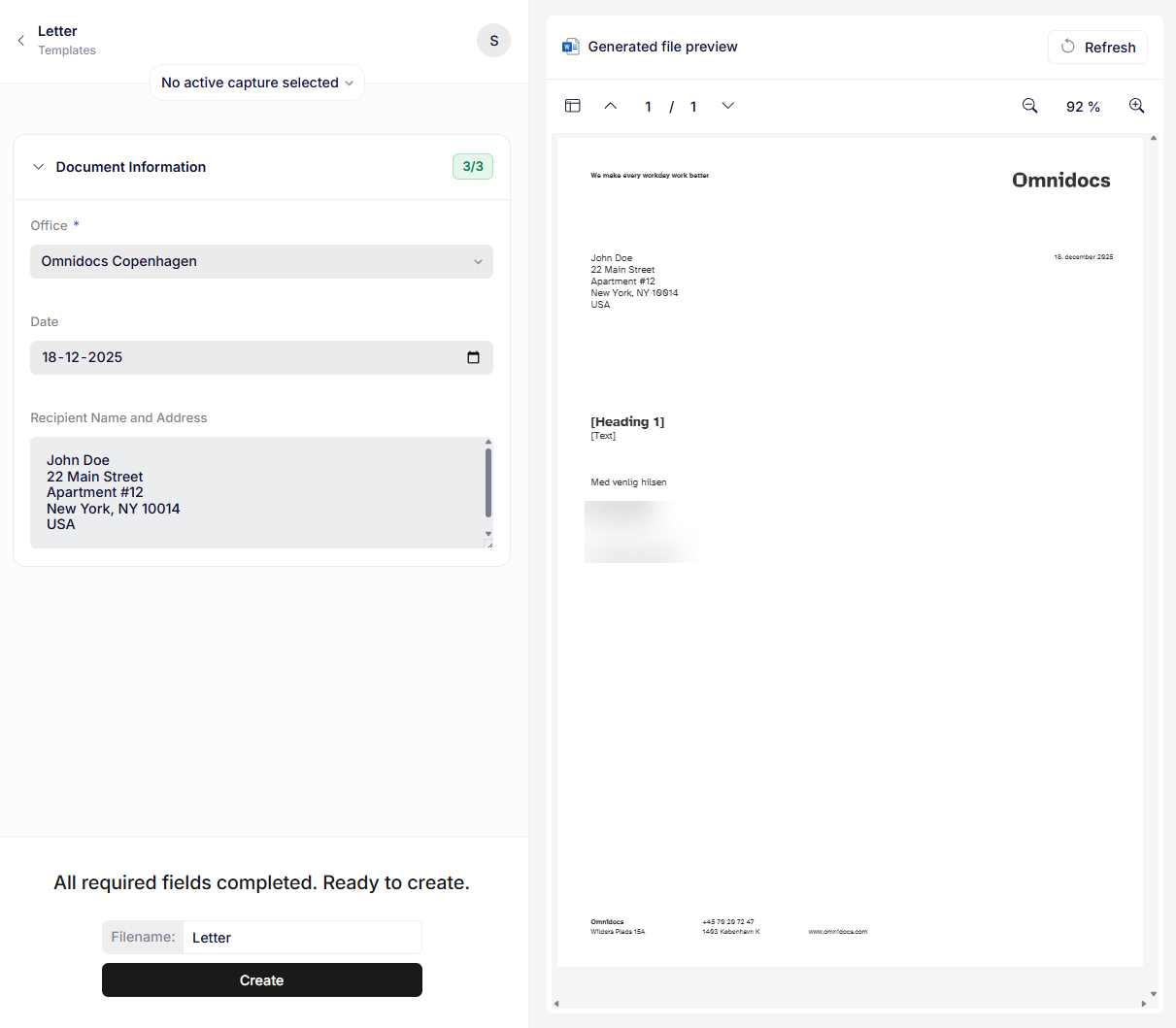
Preview of document with filled out form
Generate the document
With all required fields filled out, you are now ready to generate the document by adjusting the filename to your liking and pressing the Create button.
After pressing Create, a Word-document will be downloaded with the name you chose.
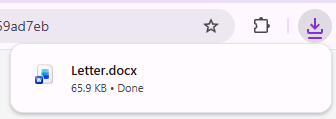
Browser downloads
? You can now open the document and see the first document you have created!
Was this article helpful?
That’s Great!
Thank you for your feedback
Sorry! We couldn't be helpful
Thank you for your feedback
Feedback sent
We appreciate your effort and will try to fix the article