Building Blocks
TABLE OF CONTENTS
Building blocks define the structure, input, and reusable content used in the Information Tree.
Overview
A building block is a component in the Information Tree. Each building block defines how a specific piece of information is collected, structured, or inserted into a generated document.
| Building block | Description |
|---|---|
| Section | A container building block used to organize related building blocks within an Information Tree. It provides structure but does not store values itself. |
| Text | Stores free-text input entered by the user and is used for names, descriptions, and other textual content. |
| Number | Stores numeric values and supports validation and formatting for numerical data. |
| Date | Collects date values in a consistent format for use in document generation. |
| Select | Lets users choose predefined options, enabling controlled input and conditional document behavior. |
| Repeat | Creates repeating collections of child building blocks, allowing multiple instances of the same information. |
| Table | Collects structured information in rows and columns for tabular data. |
| Element | References reusable content that can be maintained centrally and reused across templates. |
| Group | Organizes related building blocks into a logical section within the Information Tree. |
When you build the Information Tree, you add building blocks to define what data is needed and how users should provide or select that data.
Building block types
Different building block types are available depending on the type of input, structure, or document behavior you need.
Use clear and descriptive names for building blocks. This makes the Information Tree easier to maintain and makes inserted fields easier to identify in the template.
Add a building block
You can add a building block to the Information Tree by clicking the plus (+) icon in the top-right corner of the Information Tree.
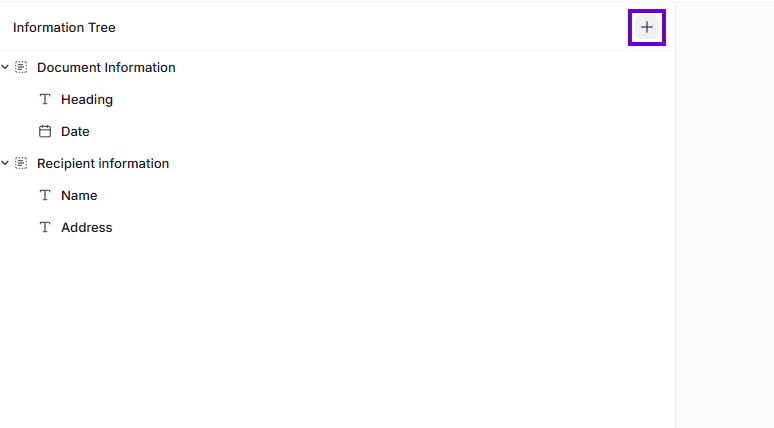
Add a building block to the Information Tree
This inserts a Section building block.
Use a building block in a template
After you configure a building block, you can insert it into your template.
Click the Insert button, or drag the building block from the Information Tree and drop it into the template where the value should appear.
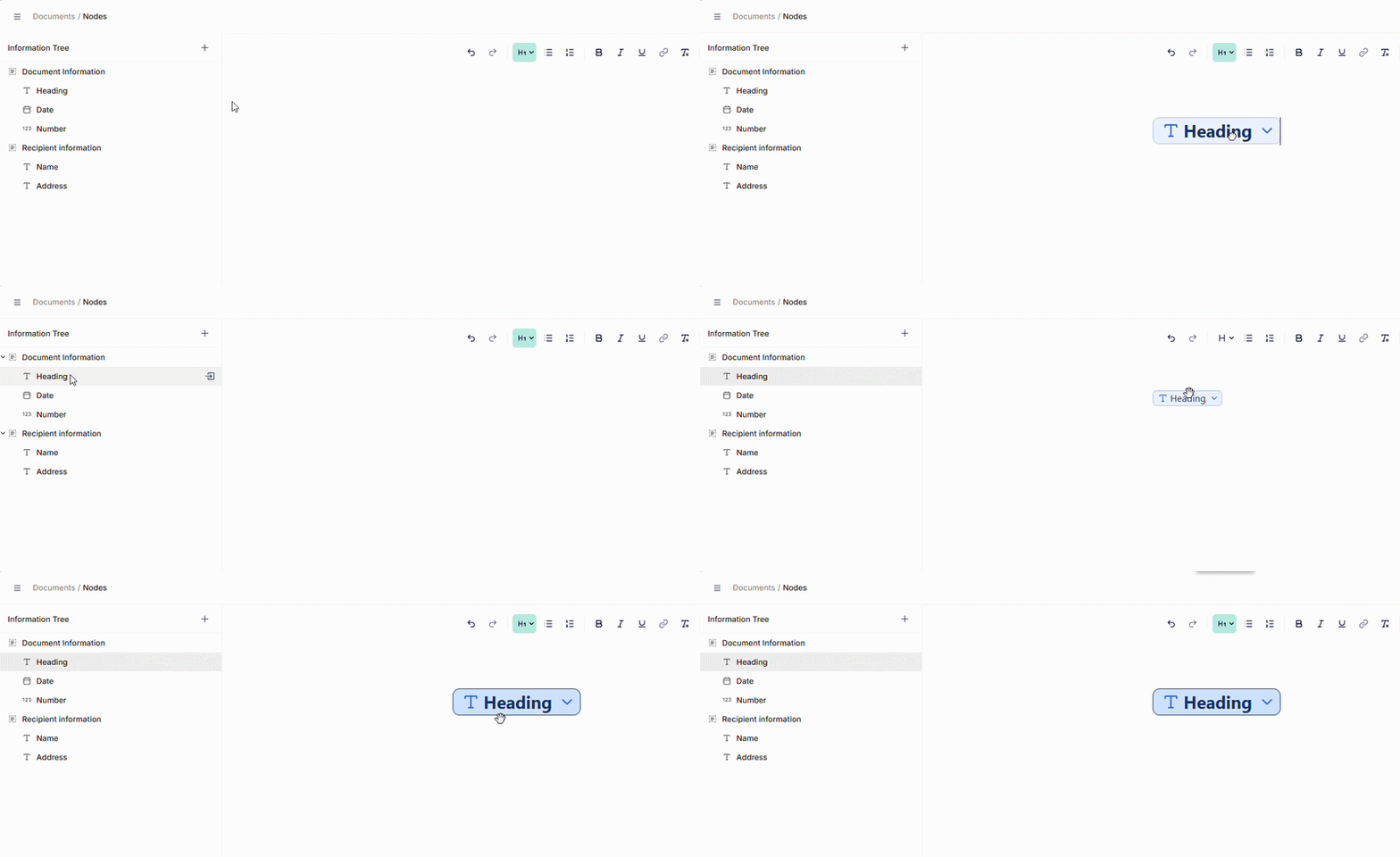
Insert a building block into a template
When the document is generated, the inserted field uses the value, content, or behavior defined by the underlying building block.
Was this article helpful?
That’s Great!
Thank you for your feedback
Sorry! We couldn't be helpful
Thank you for your feedback
Feedback sent
We appreciate your effort and will try to fix the article