Section
A Section is a container building block in your Information Tree.
Introduction
Use a Section to group related building blocks together in your Information Tree.
A Section helps you structure your form and keep it organized. It creates a clear visual separation between different parts of your document.
In the Information Tree, Sections appear as expandable items. You can add other building blocks inside them, such as Text, Date, Number, Group, Repeat or Element.
Use a Section to:
- Separate different parts of your form.
- Group fields that belong together.
- Create a clear and structured hierarchy.
- Improve readability in larger forms.
A Section does not store a value. It only organizes other building blocks.
Add a Section
To add a Section, click the plus (+) icon in the Information Tree at the relevant location:
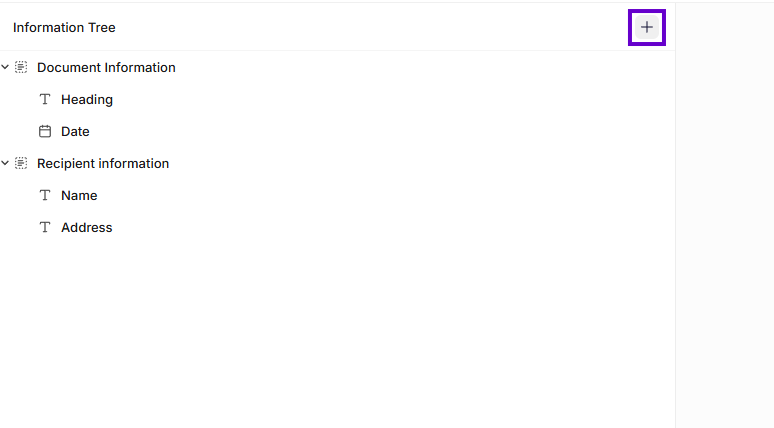
Information Tree
Was this article helpful?
That’s Great!
Thank you for your feedback
Sorry! We couldn't be helpful
Thank you for your feedback
Feedback sent
We appreciate your effort and will try to fix the article