In the case that a client has events running in an Office application but no buttons it is logical to hide the empty tab.
Branded Startup could be implemented in Excel with no buttons needed and therefore no ribbon needed.
The configuration to hide the tab in specific Office applications can be done in the two files:
...\OfficeExtensions\Common\Configuration\RibbonConfig.xml
and
...\OfficeExtensions\Common\Configuration\RibbonTemplate.xml
In RibbonTemplate.xml:
For the tabs configuration for the sd:TabID set
visible="VISIBILITY"
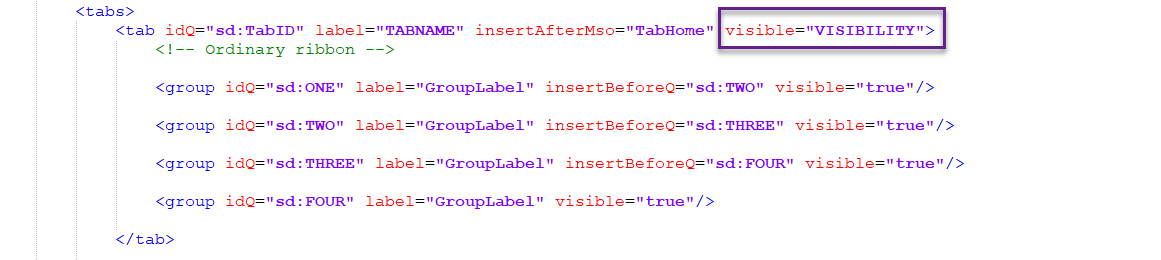
Now it is possible to define whether the tab is visible or not for each Office application.
In RibbonConfig.xml:
To hide the tab in an Office application set
<VISIBILITY>false</VISIBILITY> 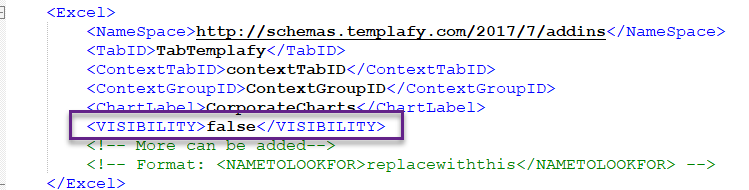
Was this article helpful?
That’s Great!
Thank you for your feedback
Sorry! We couldn't be helpful
Thank you for your feedback
Feedback sent
We appreciate your effort and will try to fix the article