BaseExtensions can be used to set a theme color from a specific path in both Word, PowerPoint and Excel. Thus, it is possible to easily change the colors of charts, graphics, etc. by choosing a color theme.
Module is located here:
...\ModuleLibrary\BaseExtensions\01_nocontext_Tools\20_WP_changeColorTheme.xmlConfiguration
CMD
The following command will apply the defined theme color in the active document or presentation.
<Cmd case="BaseExtensions:set-theme-color" path="xxx"/>
Parameters
path
Define the path for the particular .xml file for the theme color. It is not necessary to define the entire path, meaning that it can read directly from the Content/BaseExtensions folder. The defined path must start with the folder where the .xml file is located, e.g.: path="Theme Colors\test.xml"
applyToSelection
This parameter is optional and only for PowerPoint.
This parameter is to be used if the command should only change the color theme at the selected slide(s). Define to be true, if it should apply to only selected slide(s). If the parameter is defined to be false or omitted, then it applies to the entire presentation (all slides).
How to create a color theme as a .xml file
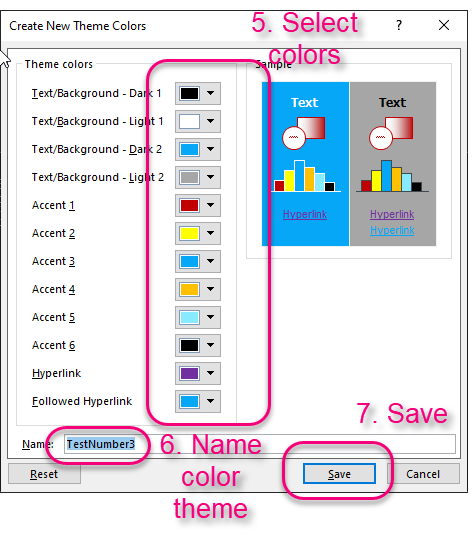
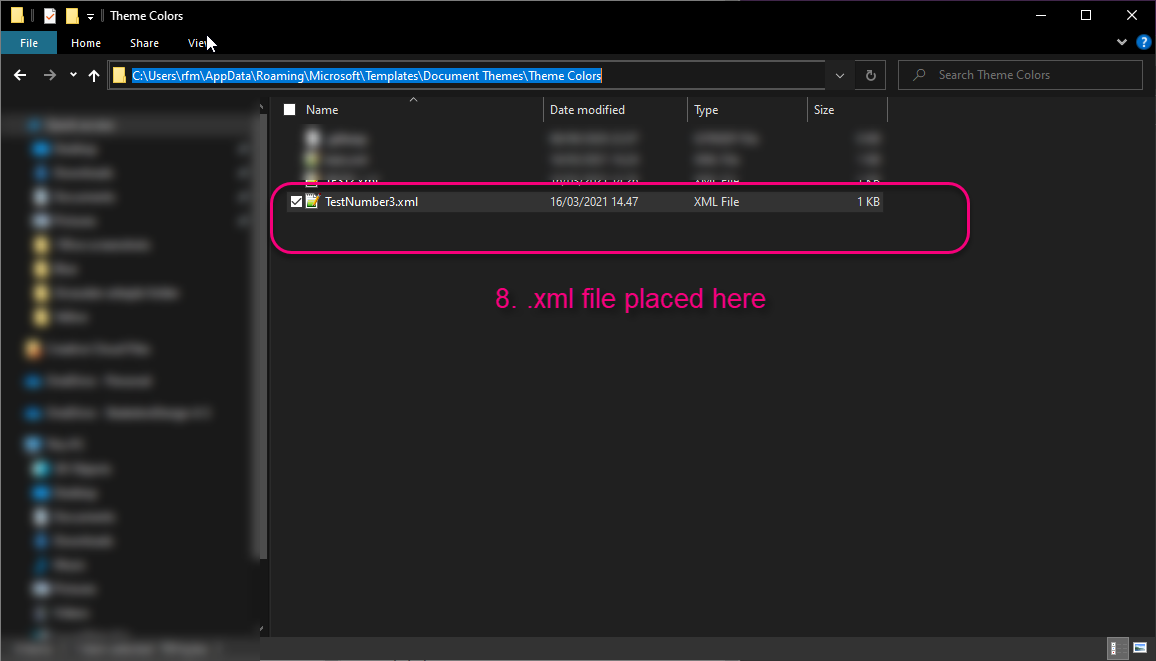
In Word, navigate into the "Design" tab in ribbon, select "Colors" and then select "Customize Colors". Here, you can customize all the theme colors and save it. When saved, the xml file will be located in the following path:
%appdata%\Microsoft\Templates\Document Themes\Theme Colors
Grab the file and place it in the Content/BaseExtensions/Theme Colors folder in the SDUP.
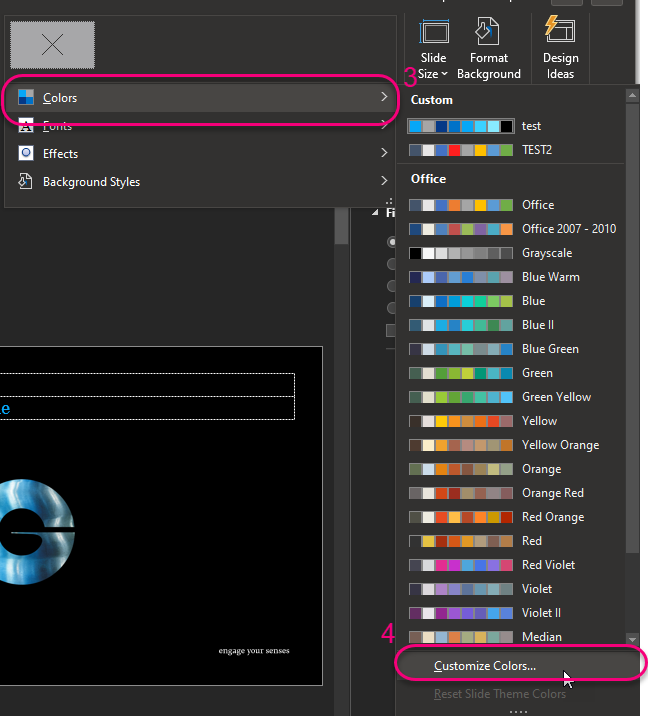
In PowerPoint, the same function is hidden in "Design" -> "Variants" -> tiny arrow down in left corner -> "Colors". See screenshots below:

Was this article helpful?
That’s Great!
Thank you for your feedback
Sorry! We couldn't be helpful
Thank you for your feedback
Feedback sent
We appreciate your effort and will try to fix the article