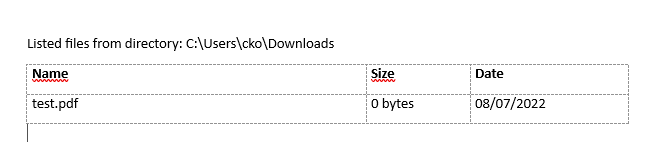
With BaseExtensions we are able to create a list of files in a given location. The list is outputted as a table in a new Word document. The table contains data on Name, Size and Date.
See example below:
CMD
<Cmd case="BaseExtensions:create-directory-listing"/>
Upon firing, the command will open a window at current document's location. The user can then navigate to the desired location.
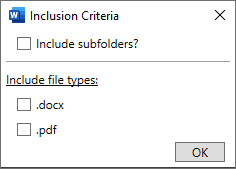
After selecting a directory to pull from, the user is presented with the following dialog to include subfolders, only .docx-files, only .pdf-files or both:
Note: Open files will spawn temporary files the folder which will be displayed in the table
Was this article helpful?
That’s Great!
Thank you for your feedback
Sorry! We couldn't be helpful
Thank you for your feedback
Feedback sent
We appreciate your effort and will try to fix the article