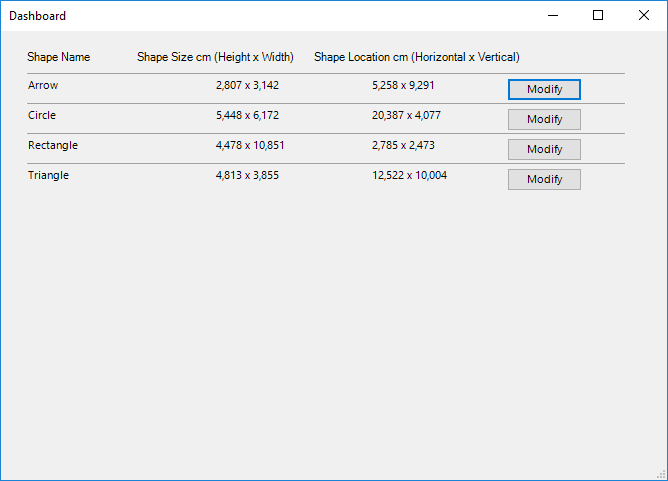
BaseExtensions can be used to show a list of names, sizes, and coordinates of shapes in active slide in PowerPoint. This feature will output a list with all shapes on the slide, where the user is able to modify the elements.
Module is located here:
Code
...\ModuleLibrary\BaseExtensions\01_nocontext_Tools\38_P_showListOfElements.xmlCMD
<Cmd case="BaseExtensions:generate-dashboard-slide"/>
As an example, this is how the list looks like:
Was this article helpful?
That’s Great!
Thank you for your feedback
Sorry! We couldn't be helpful
Thank you for your feedback
Feedback sent
We appreciate your effort and will try to fix the article