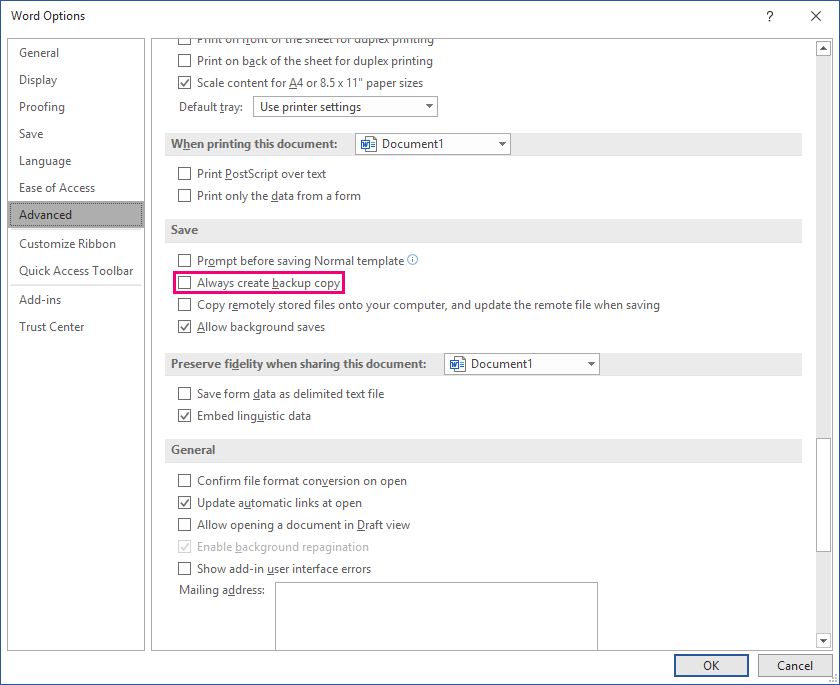
This feature is a toggle button to turn the backup feature on or off in both Word and Excel. In Word, the command goes to Options and checks the "Always create backup copy":
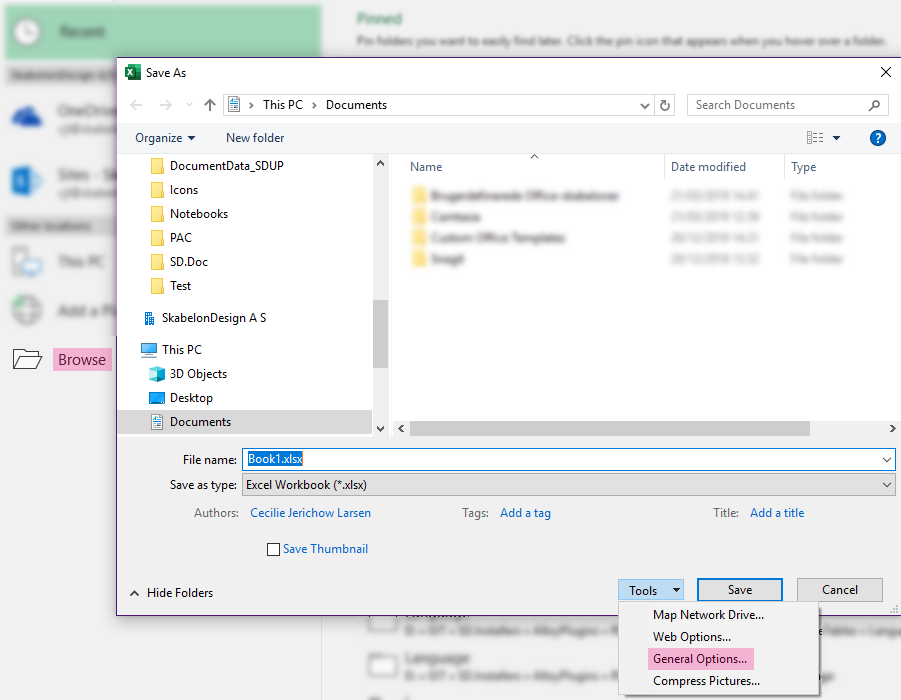
In Excel, it goes to Browse and then General options in Tools:
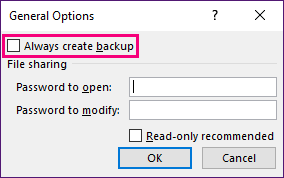
In here, the command checks the "Always create backup".
CMD
Since this feature is intended to work as a toggle button, follow the setup for toggle buttons as in this article. This is the command to toggle the backup:
<Cmd case="BaseExtensions:backup" alwaysBackup="X"/>
Parameter
alwaysBackup
Define whether the command should backup using true or false.
Example of module
The code below can be copy pasted into your module.
<ToggleButton label="Backup on/off" pressed="BaseExtensions:any" pressed-1-type="backup">
  <True>
    <Cmd case="BaseExtensions:backup" alwaysBackup="true"/>
  </True>
  <False>
    <Cmd case="BaseExtensions:backup" alwaysBackup="false"/>
  </False>
</ToggleButton>
Was this article helpful?
That’s Great!
Thank you for your feedback
Sorry! We couldn't be helpful
Thank you for your feedback
Feedback sent
We appreciate your effort and will try to fix the article