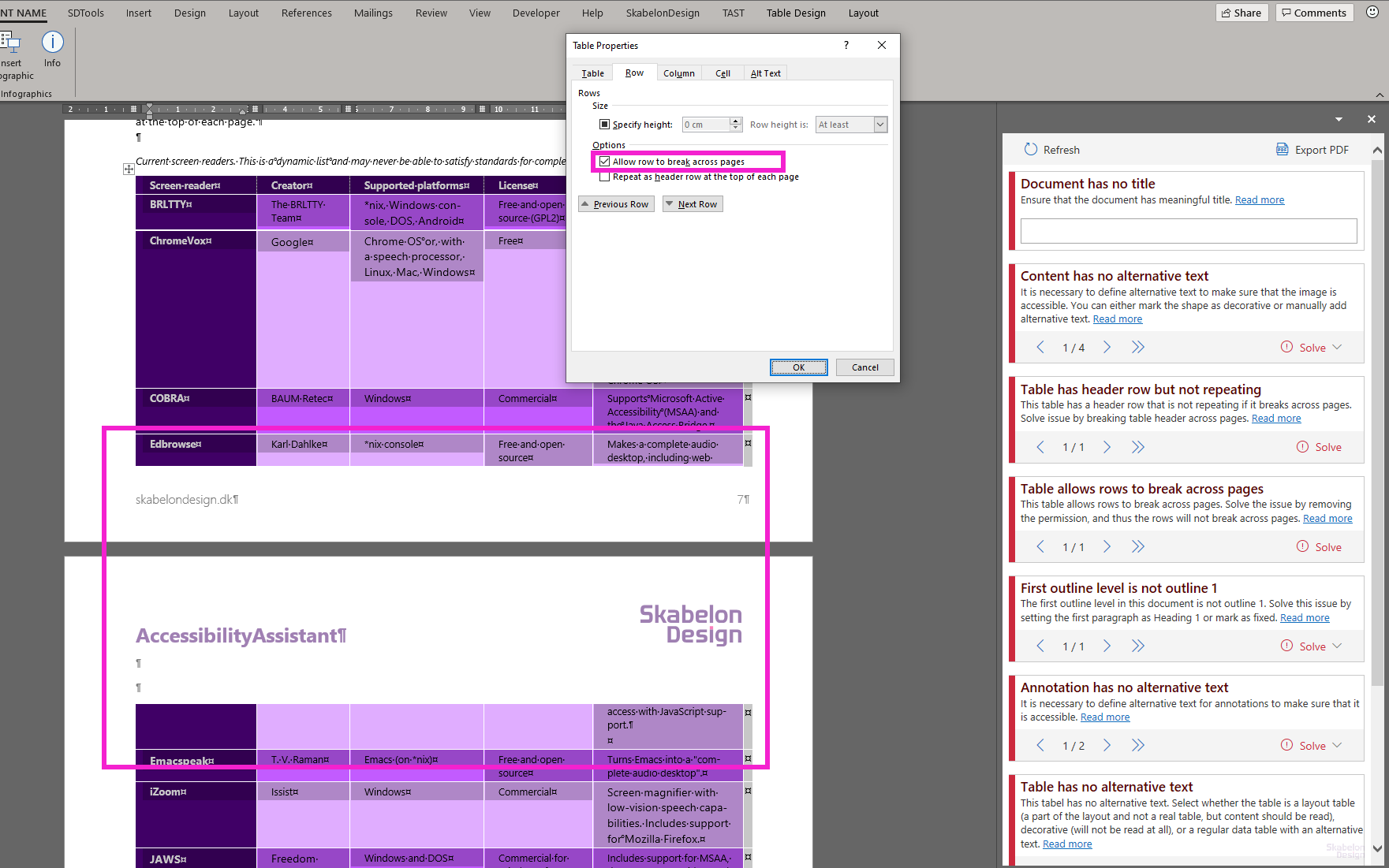
If a table is breaking across pages, it may break content in a cell across the pages as well. This is inappropriate as the PDF will understand this cell as two separate cells and by that reading it incorrect.
Therefore, it is necessary to break the entire table across the pages to make sure that it will not break a row. Since rows are allowed to break across pages, the reader will interpret a broken row as two individual rows.
Below image illustrates a row broken across two pages, as well the setting in Table Properties that allows the table to break.
Was this article helpful?
That’s Great!
Thank you for your feedback
Sorry! We couldn't be helpful
Thank you for your feedback
Feedback sent
We appreciate your effort and will try to fix the article