What is the SOURCEURL?
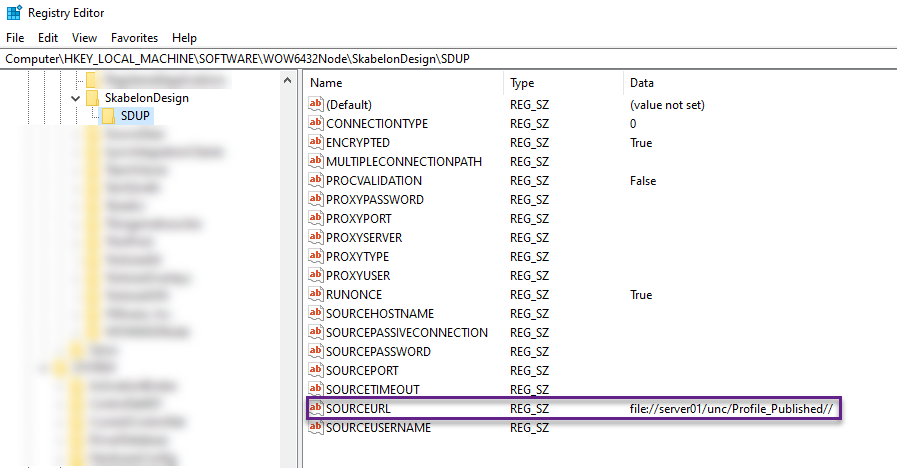
The SOURCEURL parameter in the registry is equal to the ConnectionSettings Source in the profile.xml. This is the configuration that tells the FileUpdater client where to check for updates, also known as the repository.
In Connection Settings this path is known as the RepositoryUrl and is configured by the FileUpdater admin before publishing.
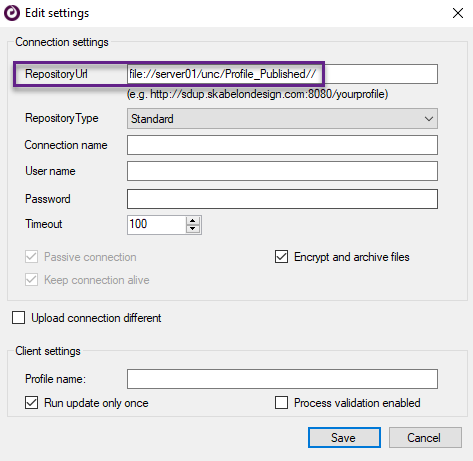
FileUpdater admins need read and write access to the SOURCEURL(s) to publish changes.
Where is the SOURCEURL?
With a standard FileUpdater configuration the FileUpdater client (SDUpdater.msi) is always configured in the following registry key (standard key):
HKEY_LOCAL_MACHINE\SOFTWARE\WOW6432Node\SkabelonDesign\SDUP
This can vary for different reasons for example if there are multiple connections. See MultipleConnection setup
Usually when not in the standard key the SOURCEURL(s) can be found in:
HKEY_CURRENT_USER\Software\SkabelonDesign\SDUP
Please note
Depending on the organization's configuration there may be more than one repository and thereby the same number of SOURCEURLs.
Look up SOURCEURL
Check current SOURCEURL with PowerShell (standard key):
(Get-ItemProperty -Path HKLM:\SOFTWARE\WOW6432Node\SkabelonDesign\SDUP -Name "SOURCEURL").SOURCEURLWas this article helpful?
That’s Great!
Thank you for your feedback
Sorry! We couldn't be helpful
Thank you for your feedback
Feedback sent
We appreciate your effort and will try to fix the article