Autocorrect Management makes it possible to open Office programs and use custom auto corrections. This could be when you write 'SD', Office will translate this into 'SkabelonDesign'.
Manually Autocorrect Management
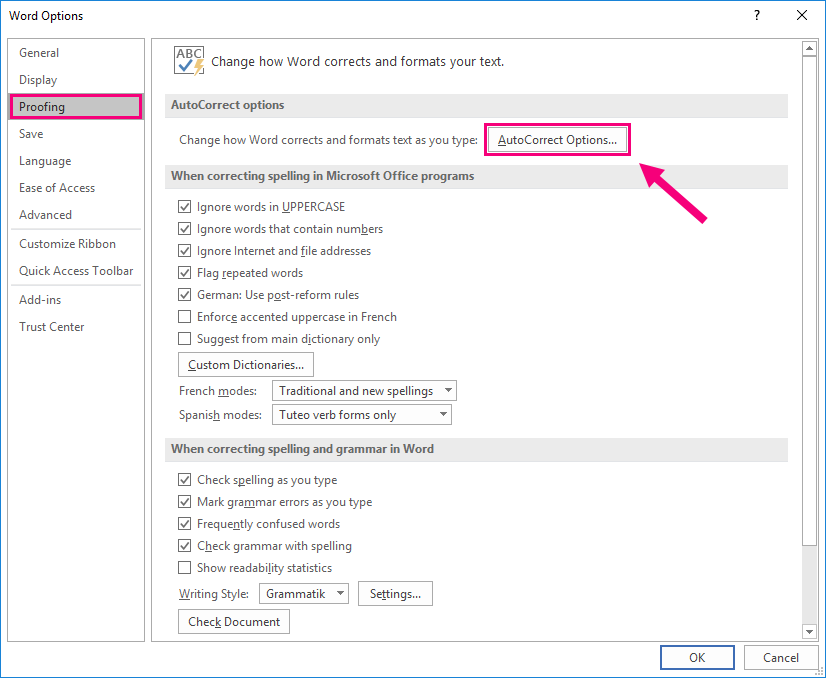
This is manually done in Word, PowerPoint and in Excel as visualized below:
File -> Options -> Proofing -> AutoCorrect Options
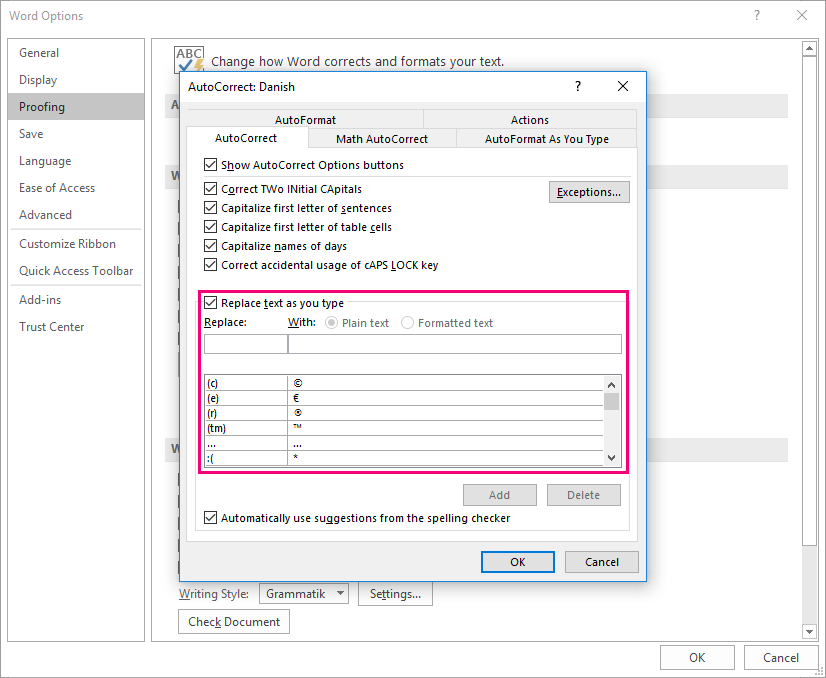
Within the AutoCorrect Options, you see the default shortcuts and it is possible to type in the fields, 'Replace:' and 'With:' See screenshot below:
Automatically Autocorrect Management
With the functionalities of Autocorrect Management, this is done automatically when you open Word and affects the other Office programs. The functionalities need to be referred to from the events folder of OfficeExtensions as follows:
...OfficeExtensions\Modules\events\BaseExtension.xml
Within the BaseExtension.xml the following script needs to be added.
<event type="BaseExtensions:NewDocument" showInPowerPoint="true" showInExcel="true" showInOutlook="true">
<Cmd case="BaseExtensions:autocorrect-entries" Name="2" Value="1" IANA="3"/>
</event>
Replace the numbers 1,2,3 with the following:
1) Replace 1 in Value="1" with the shortcut the user enter, e.g. SD.
2) Replace 2 in Name="2" with the word the shortcut should replace, e.g. SkabelonDesign.
3) Replace 3 in IANA="3" with the language in which the correction should be executed, e.g. in English, the IANA code is wdEnglishUK. Click here to see a list of Language IDs.
Was this article helpful?
That’s Great!
Thank you for your feedback
Sorry! We couldn't be helpful
Thank you for your feedback
Feedback sent
We appreciate your effort and will try to fix the article