When using the bullet and numbered list button in Word, both numbers and bullets are handled in a style named Paragraph.
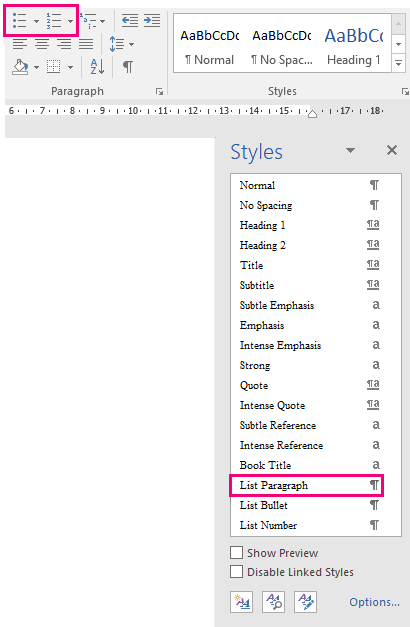
In order to control and divide the two different types of lists, it is beneficial when bullets and numbers are handled in different styles.
Therefore VBA code can link the buttons in the ribbon with a style made for bullets and numbers.
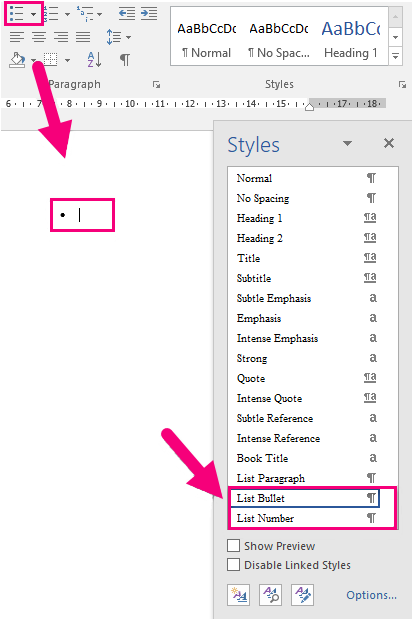
To override Word's functionality, you need a folder in Content and a plugin.
Copy the following folder SkabelonDesign.AddinLoader from this path:
SD.Installers\Z_AlloyPlugins\Configuration\ListOverride
And paste it in the client's folder:
...\OfficeExtensions\Content
Copy the SkabelonDesign.AddinLoader plugin from this path:
SD.Installers\Z_AlloyPlugins\RawPlugins
And paste it in the client's folder:
...\OfficeExtensions\Plugins
Was this article helpful?
That’s Great!
Thank you for your feedback
Sorry! We couldn't be helpful
Thank you for your feedback
Feedback sent
We appreciate your effort and will try to fix the article