APPENDIX I:
Standard Content adaptation
Adaptation of Standard Content to the main document will vary depending on the specific situation. Here it means insertion of Standard Content in the main document and formatting of the Standard Content.
Each adaptation scenario has a number of criteria, which are outlined in the diagrams below.
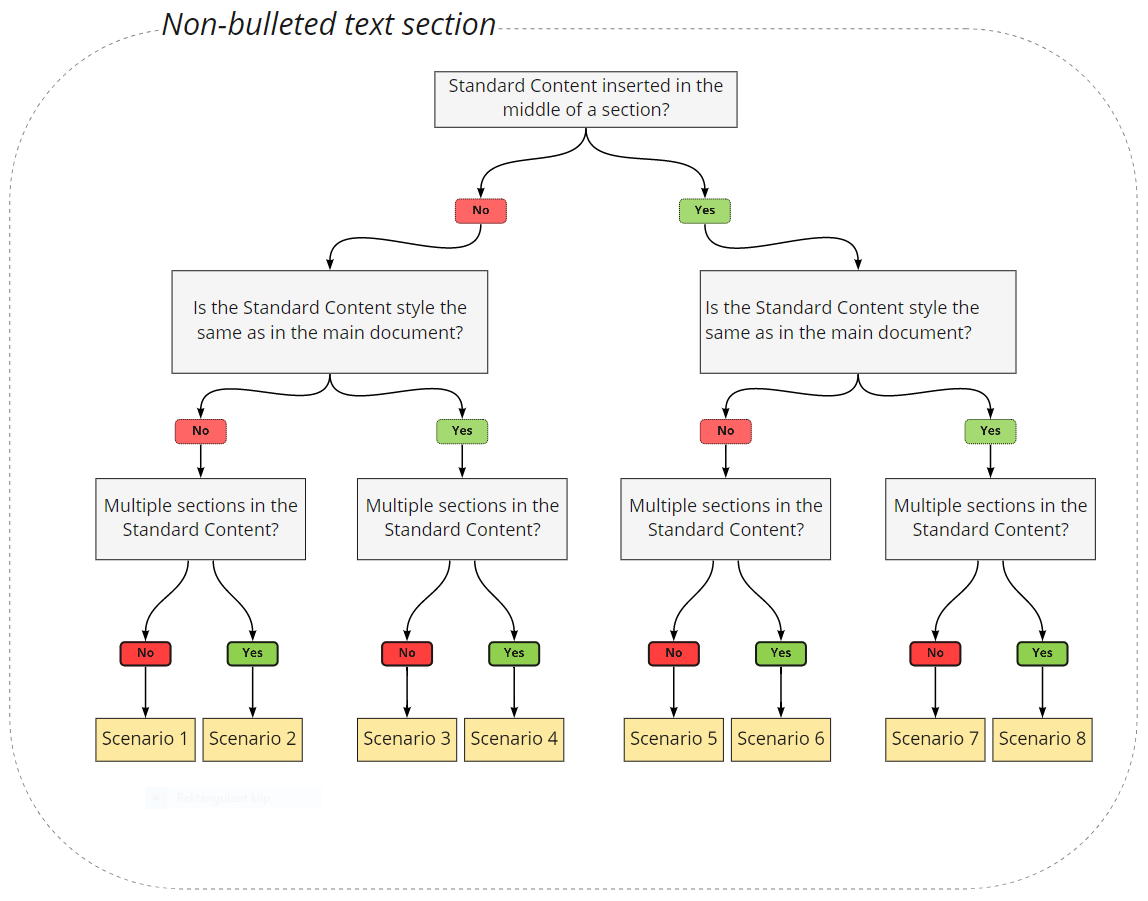
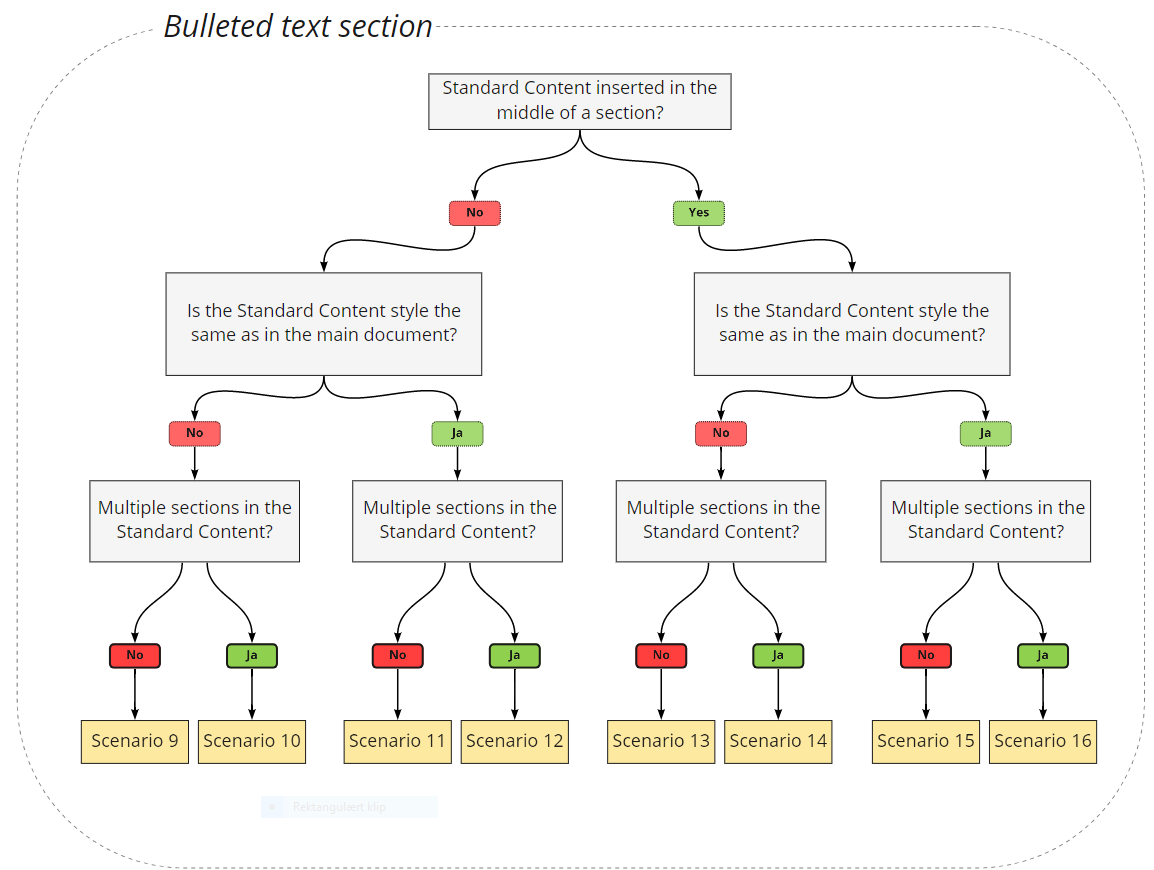
The scenarios in the above diagram are divided according to whether or not they deal with bulleted lists.
In the examples below, we reference the different scenarios in the diagrams, and you will need to check the above diagrams to see which scenario we are referring to.
All scenarios are further described below with examples.
Text section with styles
This section describes scenarios covering text sections with plain text and styles.
All scenarios are based on a main document and Standard Content with the following styles:
Main document: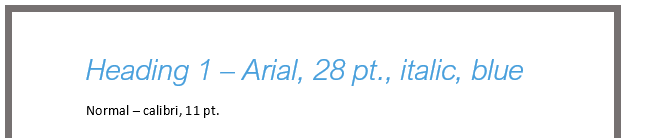
Standard Content:

Standard Content insertion in an empty section
In the scenarios dealing with insertion in an empty section of text, where the Standard Content will stand alone, the Standard Content adopts the formatting of the main document based on the Standard Content 's style information.
This section describes these scenarios.
Different styles in main document and Standard Content
This section provides examples of scenarios in which the styles in the main document and the first paragraph of the Standard Content differ.
Scenario 1 – Standard Content with a single section
When inserting Standard Content in an empty section with different styles in the main document and Standard Content, and where the Standard Content contains a single section of text, the Standard Content adopts the formatting of the main document, as illustrated below.
Main document (Normal)

Standard Content (Heading 1)

Result (Heading 1, from main document)

Scenario 2 – Standard Content with multiple sections
When inserting Standard Content in an empty section with different styles in the main document and Standard Content, and where the Standard Content contains multiple sections of text, the Standard Content adopts the formatting of the main document, as illustrated below.
Main document (Normal)

Standard Content (Heading 1 + Normal)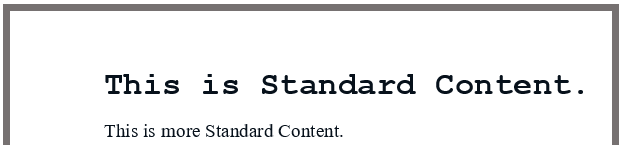
Result (Heading 1 + Normal, from main document)
Same styles in main document and Standard Content
This section provides examples of scenarios in which the styles are the same in the main document and the first section of the Standard Content.
Scenario 3 – Standard Content with a single section
When inserting Standard Content in an empty section with the same style in the main document and Standard Content, and where the Standard Content contains a single section of text, the Standard Content adopts the formatting of the main document, as illustrated below.
Main document (Normal)
 Standard Content (Normal)

Result (Normal, from main document)

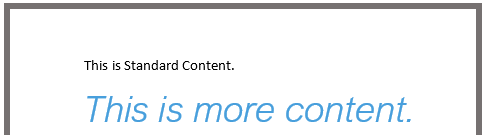
Scenario 4 – Standard Content with multiple sections
When inserting Standard Content in an empty section with the same style in the main document and Standard Content, and where the Standard Content contains multiple sections of text, the Standard Content adopts the formatting of the main document, as illustrated below.
Main document (Normal)

Standard Content (Normal + Heading 1)
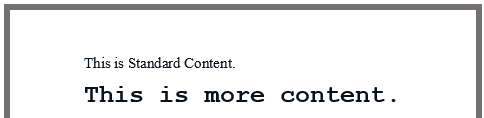
Results: (Normal + Heading 1, from main document)
Standard Content insertion in the middle of a section
In the scenarios dealing with insertion in the middle of a section of text, where the Standard Content will become part of an existing text, the Standard Content adopts the formatting of the main document, based on the Standard Content 's style information at the location.
This section describes these scenarios.
Different styles in main document and Standard Content
This section provides examples of scenarios in which the styles are different in the main document and the first paragraph of the Standard Content.
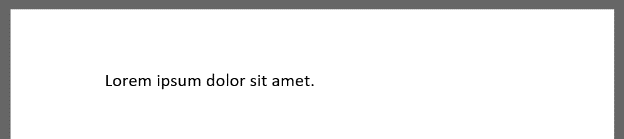
Scenario 5 – Standard Content with a single section
When inserting Standard Content in the middle of a section with different styles in the main document and Standard Content, and where the Standard Content contains a single section of text, the Standard Content adopts the formatting of the main document, as illustrated below.
Main document (Normal)
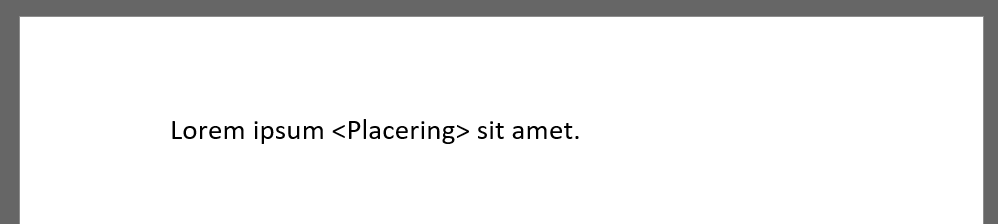
Standard Content (Heading 1)
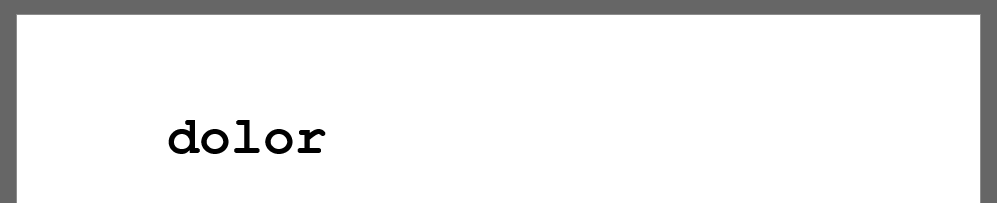
Result (Normal, from main document)
Scenario 6 – Standard Content with multiple sections
When inserting Standard Content in the middle of a section with different styles in the main document and Standard Content, and where the Standard Content contains multiple sections of text, the Standard Content adopts the formatting of the main document, as illustrated below.
Main document (Normal)
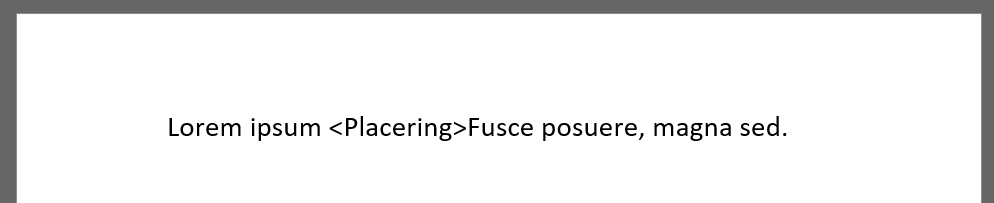
Standard Content (Heading 1)
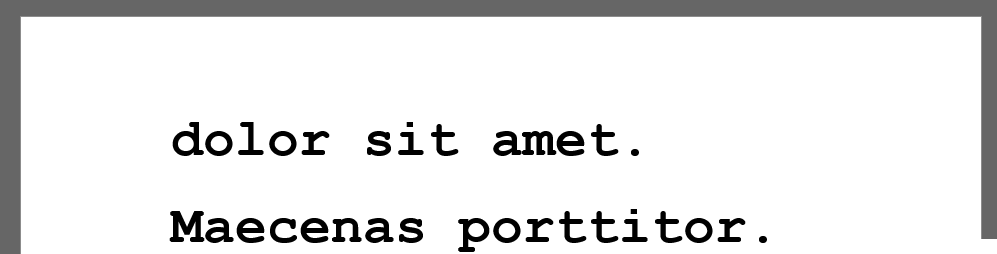
Result (Normal, from main document)
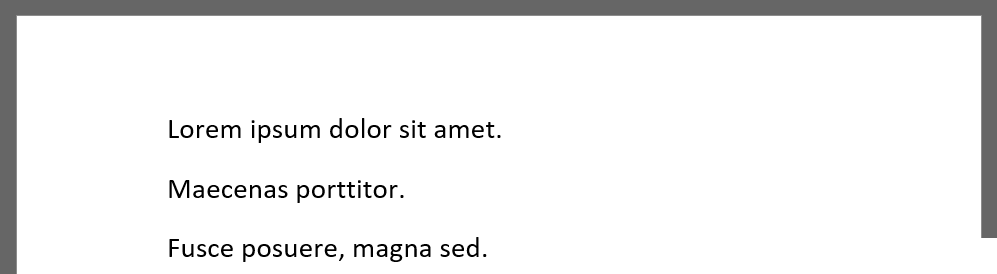
Note that text after the insertion in the main document is moved to a separate section below the Standard Content.
Same styles in main document and Standard Content
This section provides examples of scenarios in which the styles are the same in the main document and the first section of the Standard Content.
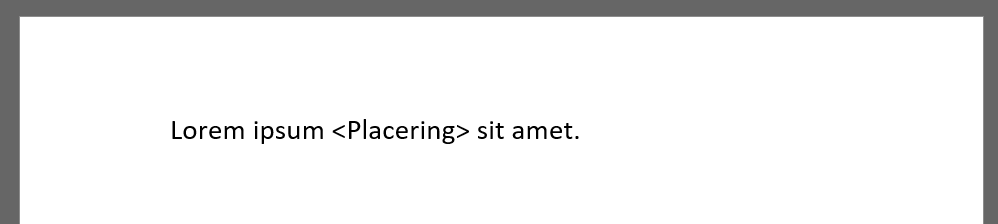
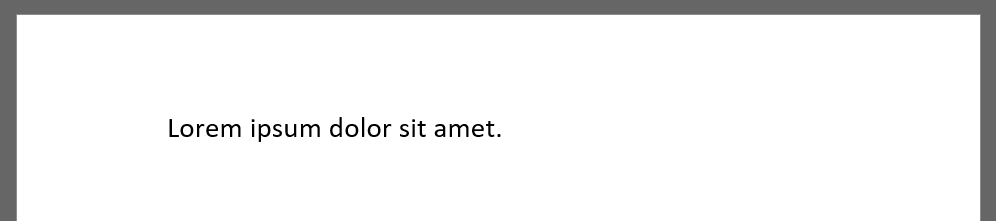
Scenario 7 – Standard Content with a single section
When inserting Standard Content in the middle of a section with the same styles in the main document and the Standard Content, and where the Standard Content contains a single section of text, the Standard Content adopts the formatting of the main document, as illustrated below.
Main document (Normal)
Standard Content (Normal)

Result (Normal, from main document)
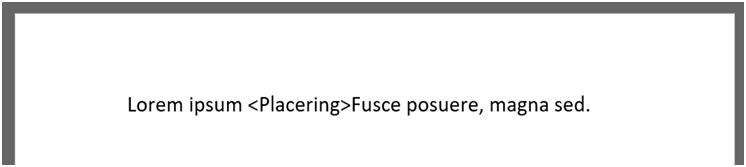
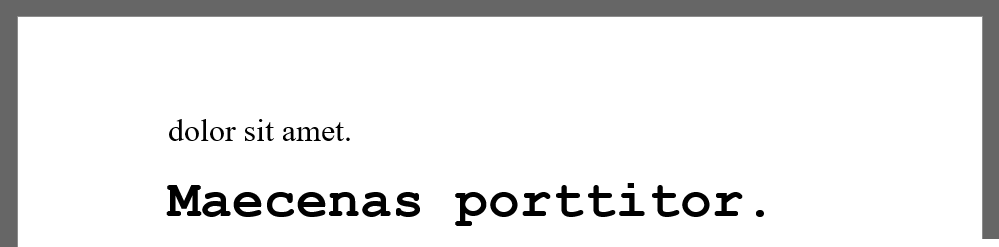
Scenario 8 – Standard Content with multiple sections
When inserting Standard Content in the middle of a section with the same style in the main document and the Standard Content, and where the Standard Content contains multiple sections of text, the Standard Content adopts the formatting of the main document, as illustrated below.
Main document (Normal)
Standard Content (Normal)
Results: (Normal, from main document)
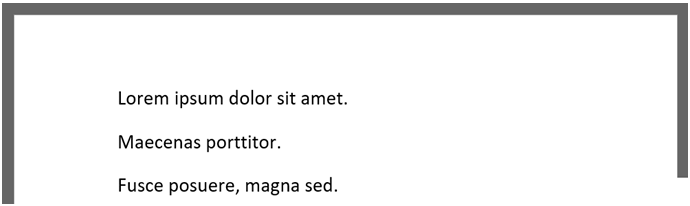
Note that text after the place of insertion in the main document is moved to a separate section below the Standard Content.
Bulleted text section
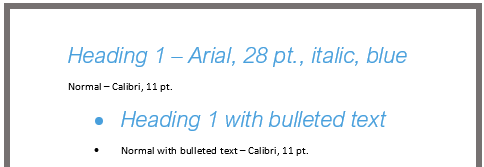
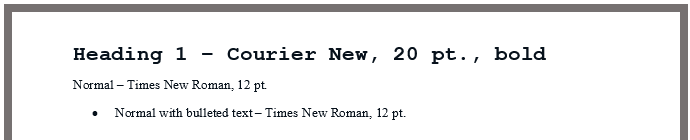
This section describes scenarios that cover bulleted text sections. All scenarios are based on a main document and Standard Content with the following styles:
Main document:
Standard Content:
Standard Content insertion in empty bulleted list
In the scenarios dealing with insertion in an empty section of text with a bulleted list, where the Standard Content will stand alone, the Standard Content adopts the formatting of the main document based on the Standard Content 's style information, but with bulleted list formatting based on the main document at the location.
This section describes these scenarios
Different styles in main document and Standard Content (bulleted list)
Examples of scenarios in which the styles are the same in the main document and the first section of the Standard Content are described in this section .
Scenario 9 – Standard Content with a single section
When inserting Standard Content in an empty text section containing a bulleted list, where the Standard Content uses no bulleted list and contains a single section of text, the Standard Content adopts the formatting of the main document, as illustrated below.
Main document (Normal with bulleted list)

Standard Content (Normal)

Result (Normal with bulleted list, from main document)
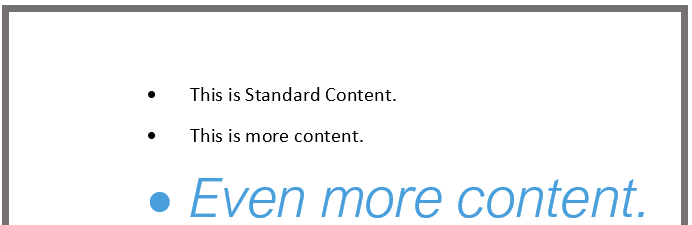
Scenario 10 – Standard Content with multiple sections
When inserting Standard Content in an empty text section containing a bulleted list, where the Standard Content uses no bulleted list and contains multiple sections of text, the Standard Content adopts the formatting of the main document, as illustrated below.
Main document (Normal with bulleted list)

Standard Content (Normal + Heading 1)
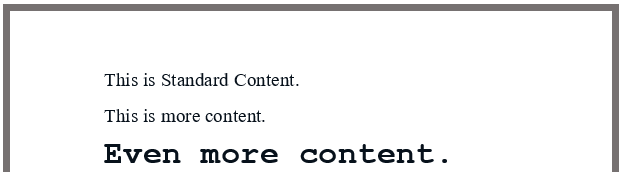
Result (Normal + Heading 1 with bulleted list, from main document)
Same styles in main document and Standard Content (bulleted list)
This section provides examples of scenarios in which bulleted lists are used in both the main document and the first section of the Standard Content.
Scenario 11– Standard Content with a single section
When inserting Standard Content in an empty text section containing a bulleted list, where the Standard Content also uses a bulleted list and contains a single section of text, the Standard Content adopts the formatting of the main document, as illustrated below.
Main document (Normal with bulleted list)

Standard Content (Normal with bulleted list)

Result (Normal with bulleted list, from main document)

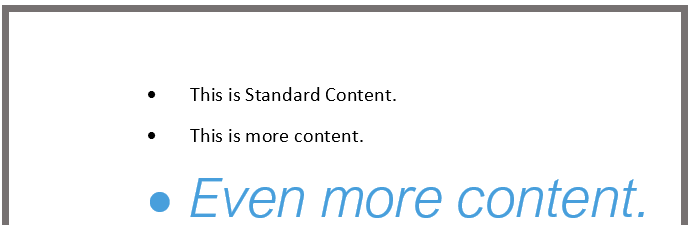
Scenario 12 – Standard Content with multiple sections
When inserting Standard Content in an empty text section containing a bulleted list, where the Standard Content also uses a bulleted list and contains multiple sections of text, the Standard Content adopts the formatting of the main document, as illustrated below.
Main document (Normal with bulleted list)

Standard Content (Normal + Heading 1 with bulleted list)
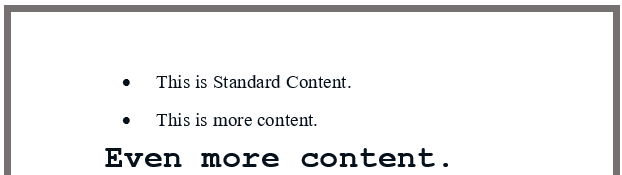
Result (Normal + Heading 1 with bulleted list, from main document)
Standard Content insertion in the middle of a bullet line
In the scenarios dealing with insertion in the middle of a section of bulleted text, where the Standard Content will become part of an existing text, the Standard Content is adapted to the formatting of the main document based on the Standard Content 's typographic information at the location.
This section describes these scenarios
Different styles in main document and Standard Content
This section provides examples of scenarios in which bulleted lists are used in the main document, but not in the first section of the Standard Content.
Scenario 13 – Standard Content with a single section
When inserting Standard Content in the middle of a bulleted text section, where the Standard Content uses no bulleted list and contains a single section of text, the Standard Content adopts the formatting of the main document, as illustrated below.
Main document (Normal with bulleted list)
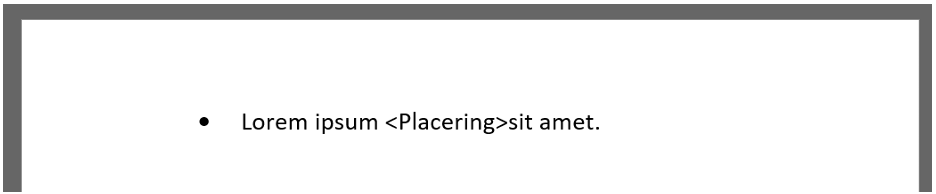
Standard Content (Normal)

Result (Normal with bulleted list, from main document)
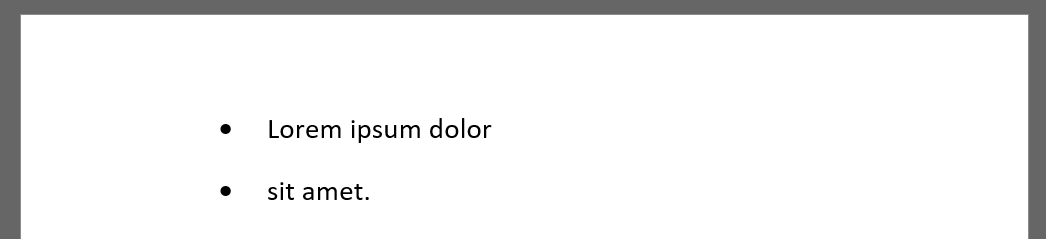
Note that text after the place of insertion in the main document is moved to a separate bullet point below the Standard Content.
Scenario 14 – Standard Content with multiple sections
When inserting Standard Content in the middle of a text section containing a bulleted list, where the Standard Content uses no bulleted list and contains multiple sections of text, the Standard Content adopts the formatting of the main document, as illustrated below.
Main document (Normal with bulleted list)
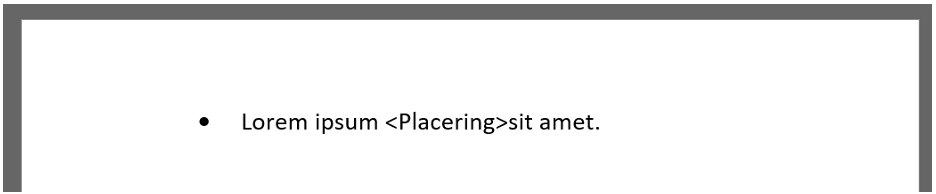
Standard Content (Normal + Heading 1)
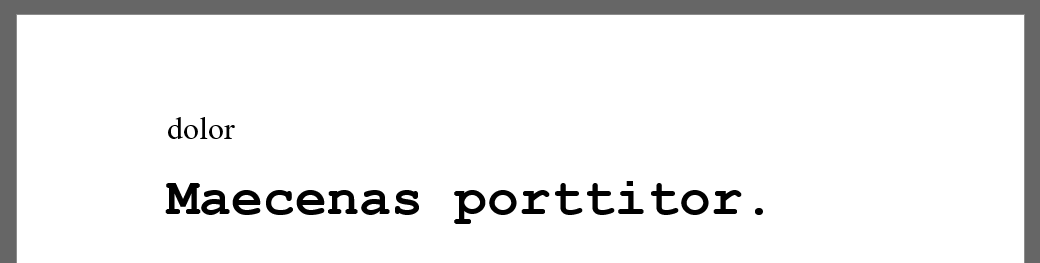
Result (Normal with bulleted list, from main document)
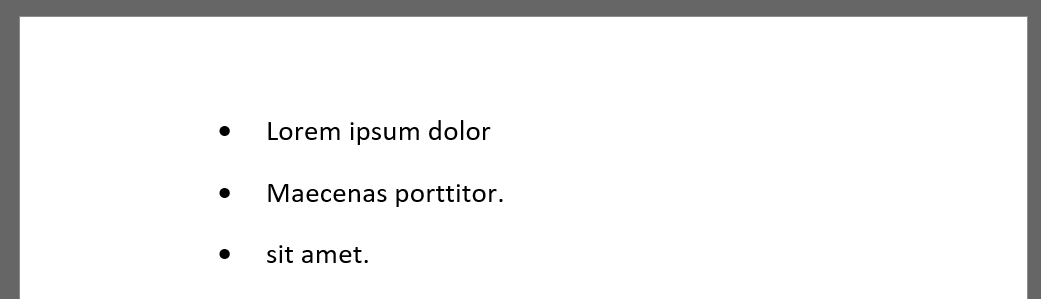
Note that text after the place of insertion in the main document is moved to a separate bullet point below the Standard Content.
Same styles in main document and Standard Content
This section provides examples of scenarios in which bulleted lists are used in both the main document and the first section of the Standard Content.
Scenario 15 – Standard Content with a single section
When inserting Standard Content in the middle of a text section containing a bulleted list, where the Standard Content also uses a bulleted list and contains a single section of text, the Standard Content is adapted to the formatting of the main document, as illustrated below.
Main document (Normal with bulleted list)
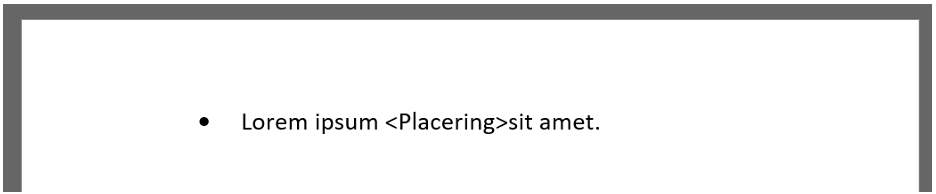
Standard Content (Normal with bulleted list)

Result (Normal with bulleted list, from main document)
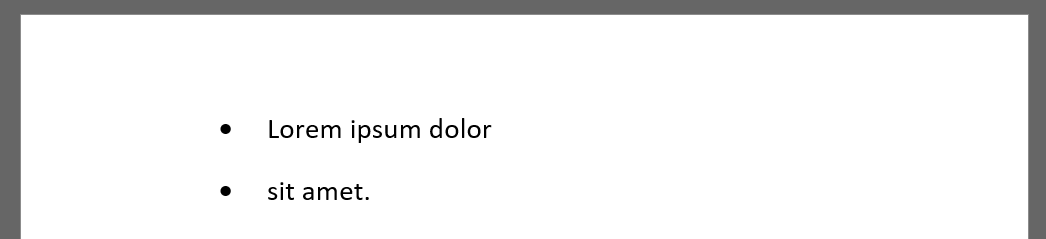
Note that text after the place of insertion in the main document is moved to a separate bullet point below the Standard Content.
Scenario 16 – Standard Content with multiple sections
When inserting Standard Content in the middle of a text section containing a bulleted list, where the Standard Content also uses a bulleted list and contains multiple sections of text, the Standard Content adopts the formatting of the main document, as illustrated below.
Main document (Normal with bulleted list)
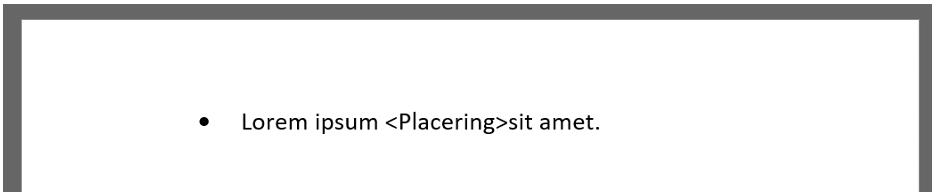
Standard Content (Normal + Heading 1 with bulleted list)
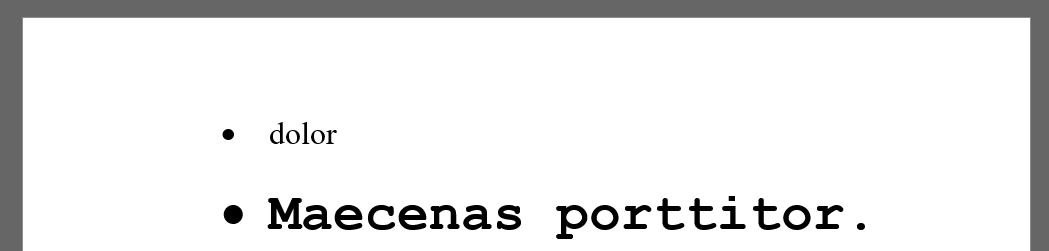
Results: (Normal with bulleted list, from main document)
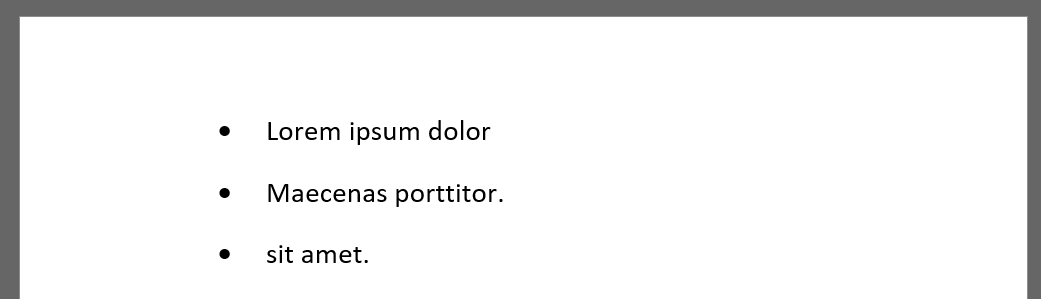
Note that text after the place of insertion in the main document is moved to a separate section below the Standard Content.
Was this article helpful?
That’s Great!
Thank you for your feedback
Sorry! We couldn't be helpful
Thank you for your feedback
Feedback sent
We appreciate your effort and will try to fix the article