With BaseExtensions, we are able to call built in Mso functions using VSTO.
When calling Mso functions, we must use the name of the Mso command for either Word, PowerPoint, or Excel. These can be found in the different programs:
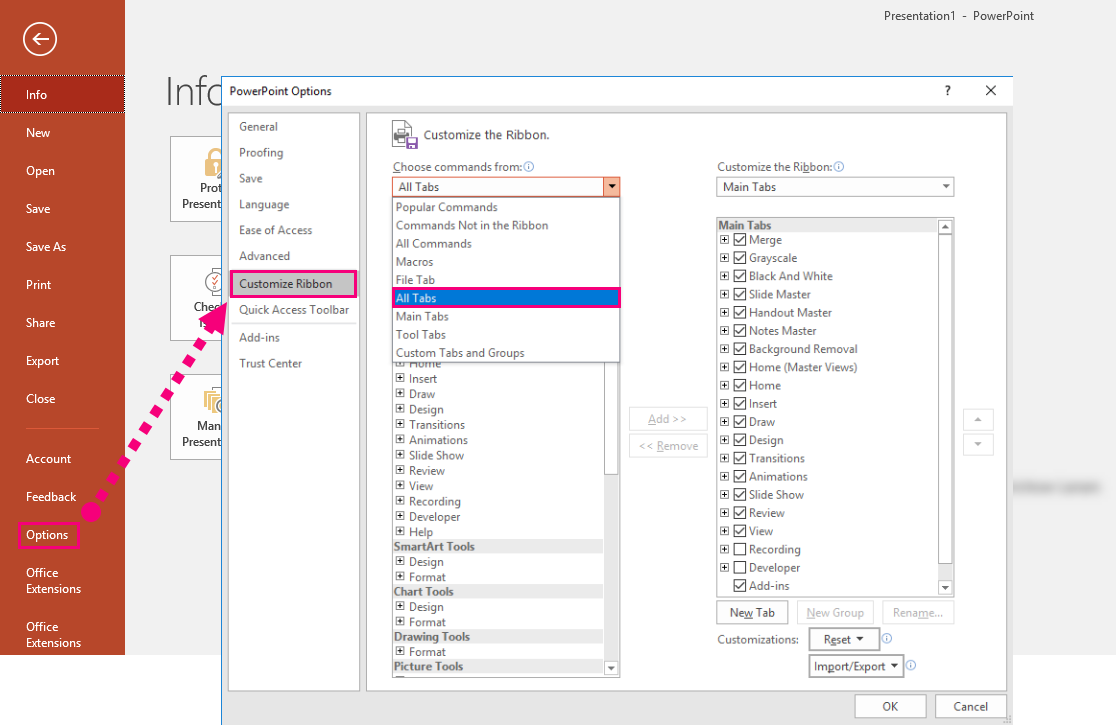
In the different tabs, it is possible to see the many features. When pointing at a feature, the name of the Mso will appear. Here is an example:

CMD
<Cmd case="BaseExtensions:execute-mso"/>
Parameters
Word
Define name of Mso command for Word
PowerPoint
Define name of Mso command for PowerPoint
Excel
Define name of Mso command for Excel
With the example above, the command for PowerPoint would look like this:
<Cmd case="BaseExtensions:execute-mso" PowerPoint="PictureFillCrop"/>Was this article helpful?
That’s Great!
Thank you for your feedback
Sorry! We couldn't be helpful
Thank you for your feedback
Feedback sent
We appreciate your effort and will try to fix the article