As default, the different table templates will be shown individually in one menu even if some of them includes variants.
If a file called displaymenus.cfg is present in the folder containing the table templates, the templates will be shown as "menus" with their respective variants.
An example is illustrated below.
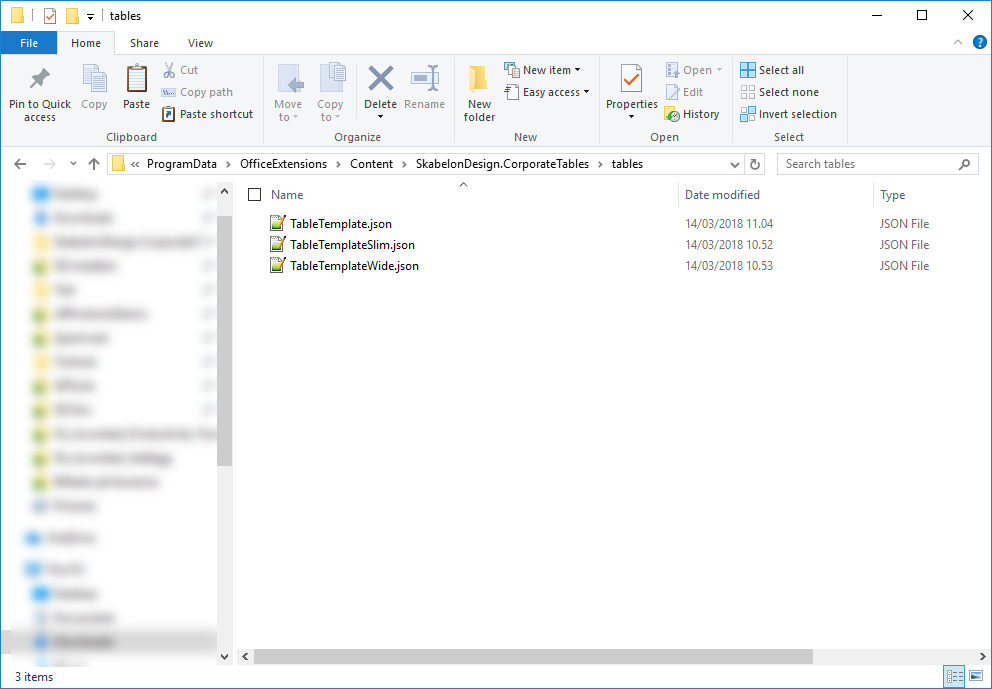
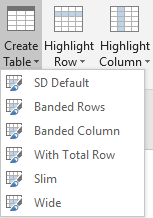
In this example, there are three different templates. The first one contains four variants. Without the displaymenus.cfg in this folder, the menu will look like this:
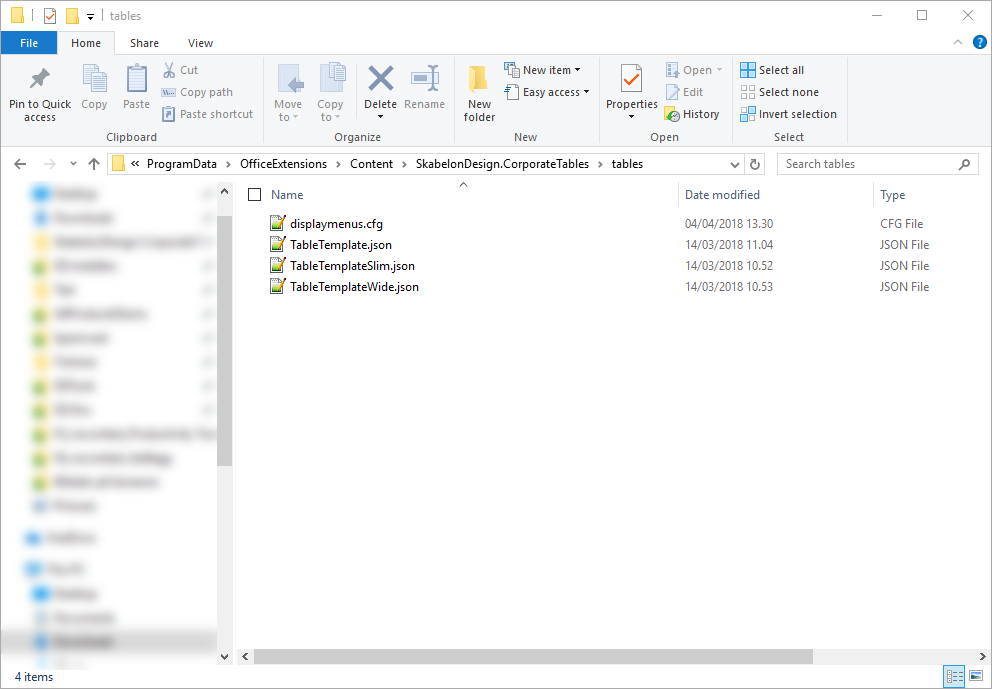
To change the layout to having sub menus, insert the aforementioned file:
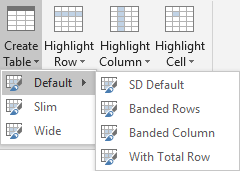
Now, the templates are shown as menu with their variants:
Was this article helpful?
That’s Great!
Thank you for your feedback
Sorry! We couldn't be helpful
Thank you for your feedback
Feedback sent
We appreciate your effort and will try to fix the article