We are able to add the injected separator to both ribbon and menus.
Notice that we are able to set visibility at separators.
Separator in ribbon
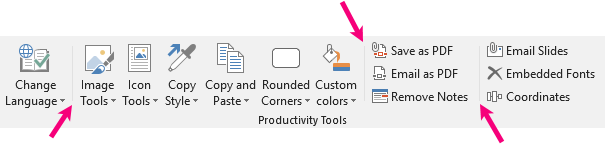
To add a separator in ribbon, use this command between your buttons or menus. You can add it in an individual module at the end or in the beginning, or in between buttons.
XML
<separator id="separator"/>As an example, here is how it looks in ribbon:
Separator in menus
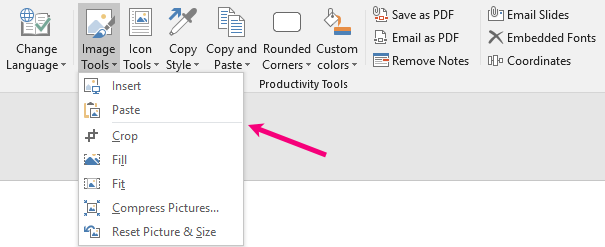
To add a separator in a menu, this command must be used between two buttons in the menu (note that it is an injected feature):
XML
<Inject>
 <menuSeparator id="separator"/>
</Inject>
This is how it looks in a menu:
Was this article helpful?
That’s Great!
Thank you for your feedback
Sorry! We couldn't be helpful
Thank you for your feedback
Feedback sent
We appreciate your effort and will try to fix the article