In cases where the company ribbon is empty or functionalities in the ribbon are missing, you want to check if the add-ins are enabled.
This can be checked in Word, Powerpoint or in the Registry Editor.
Add-ins in Word or Power Point
In Power Point and in Word, you choose as visualized:
1) File -> 2) Options -> 3) Add-ins.
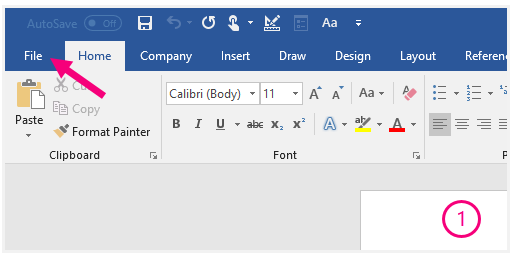
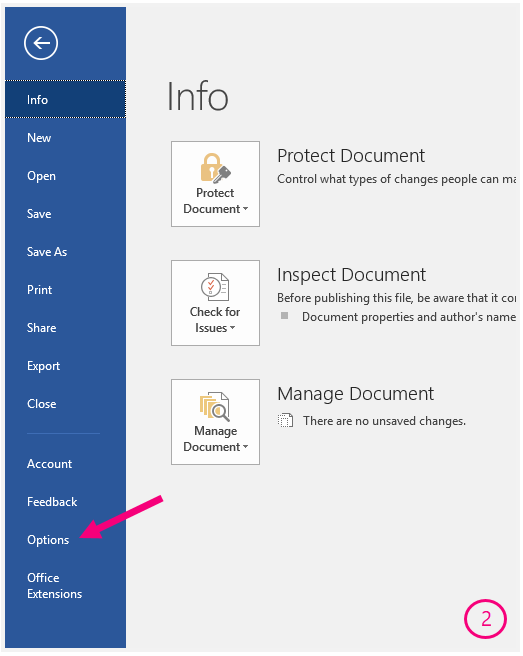
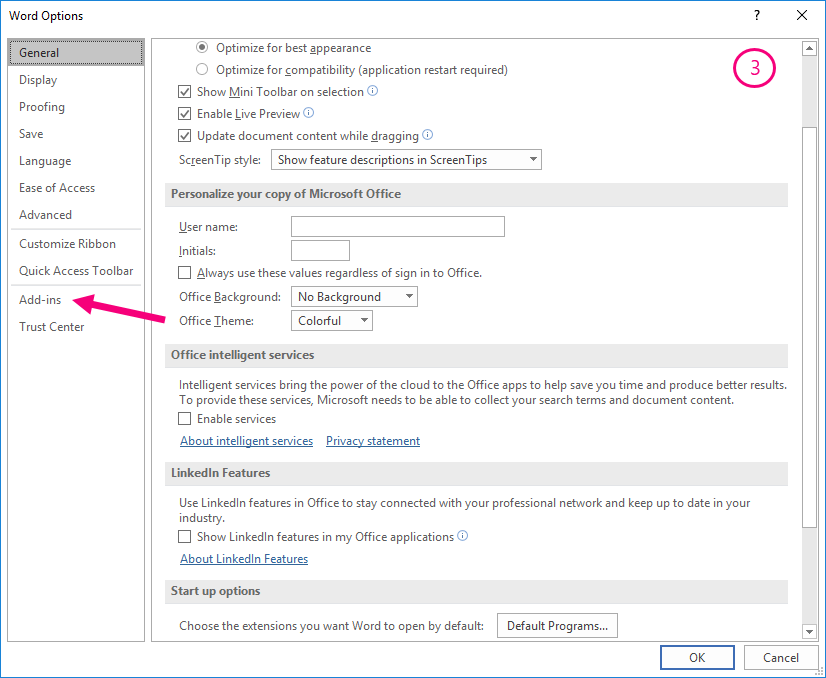
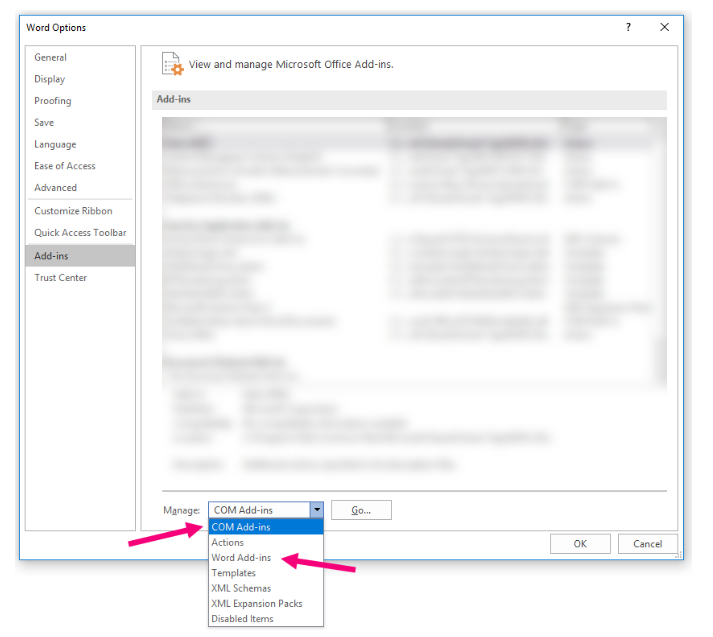
In the bottom of the Word Options menu, as visualized below, choose:
- COM Add-ins in order to locate VSTO files (Office Solutions Development Overview).
- Word add-ins (or Power Point add-ins) to locate VBA files (Visual Basic for Applications).
Click "Go..."
Disabled Items
In some rare cases an add-in may end up in Disabled Application Add-ins.
Then it is not enough to just enable as described above.
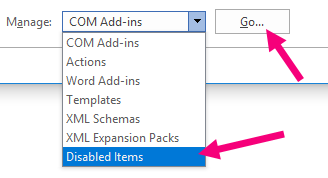
1) First go to Disabled Items in the Manage drop down menu and click Go
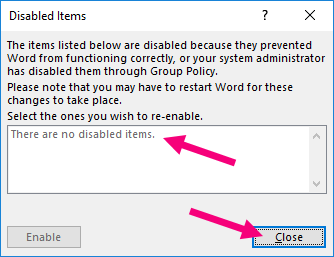
2) Click on the add-in in question and click Enable and then Close
3) Now activate the add-in in Inactive Application Add-ins where you can activate it by setting the tick mark for the add-in.
Add-ins in registry entries
Another method to check whether or not the add-ins are enabled is by locating the right registry key in the Registry Editor.
*Notice: This method is suitable for users with it-knowledge and only applicable for COM-add-ins and VSTO files.
Locate the registry key:
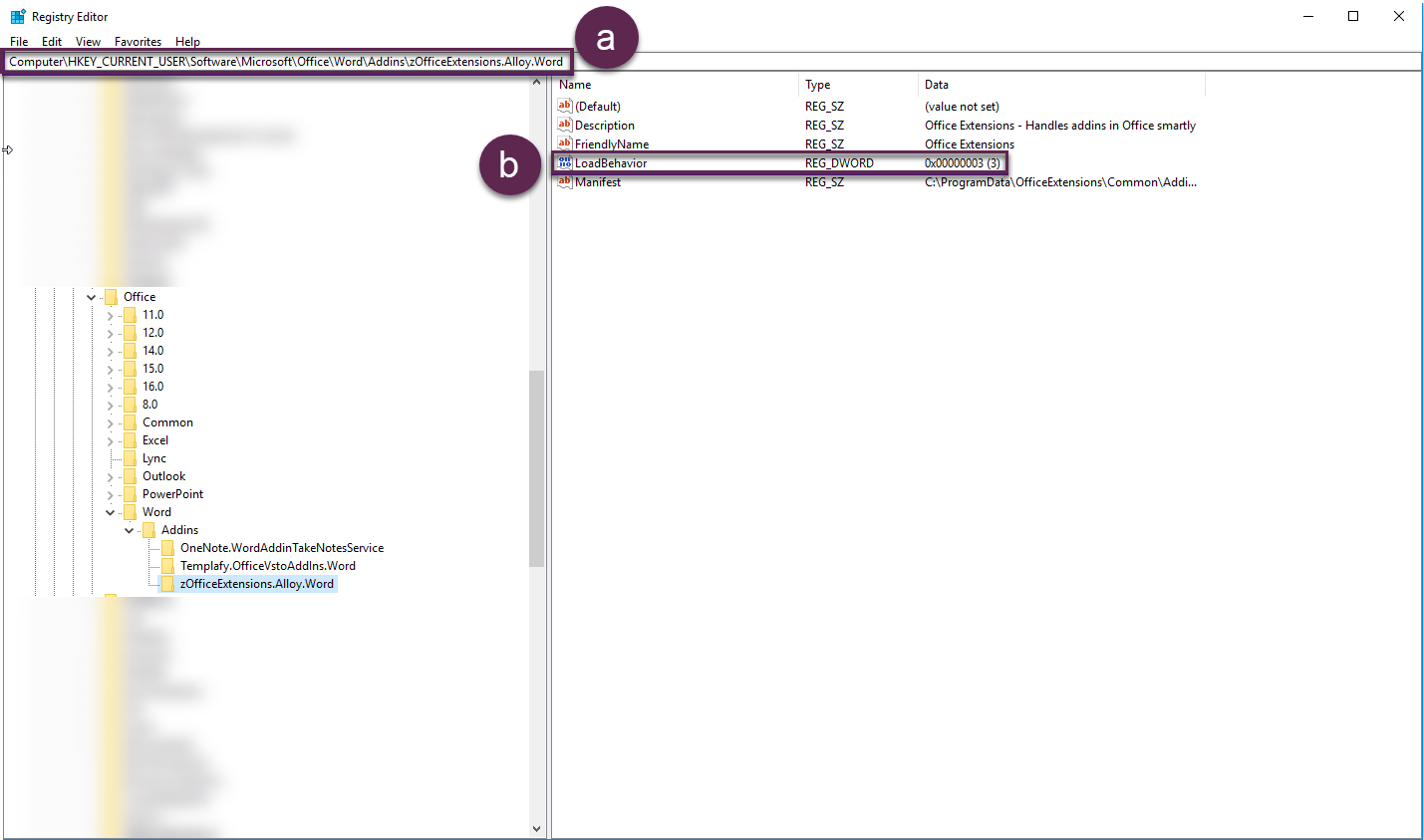
Word (visualized below marked with a below):
HKEY_CURRENT_USER\Software\Microsoft\Office\Word\Addins\zOfficeExtensions.Alloy.Word Power Point:
HKEY_CURRENT_USER\Software\Microsoft\Office\PowerPoint\Addins\zOfficeExtensions.Alloy.PowerPointBe aware that the path may differ in older versions, please contact Omnidocs with questions regarding this.
In order to check if add-ins are enabled, the LoadBehavior (marked with b below) should be 0x00000003 for enabled and will be 0x00000002 if inactive.
Was this article helpful?
That’s Great!
Thank you for your feedback
Sorry! We couldn't be helpful
Thank you for your feedback
Feedback sent
We appreciate your effort and will try to fix the article