This feature allows the user to edit selected elements in the document. The feature will open a new window displaying all accessibility issues of the selection - even issues that has already been solved.
This allows the user to revisit issues that has already been solved.
For example: If the user solved a missing image description by adding a description in the Alt Text, but later wants to edit the description. The user will then want to select the image, click "Edit selection" and Add/edit the description.
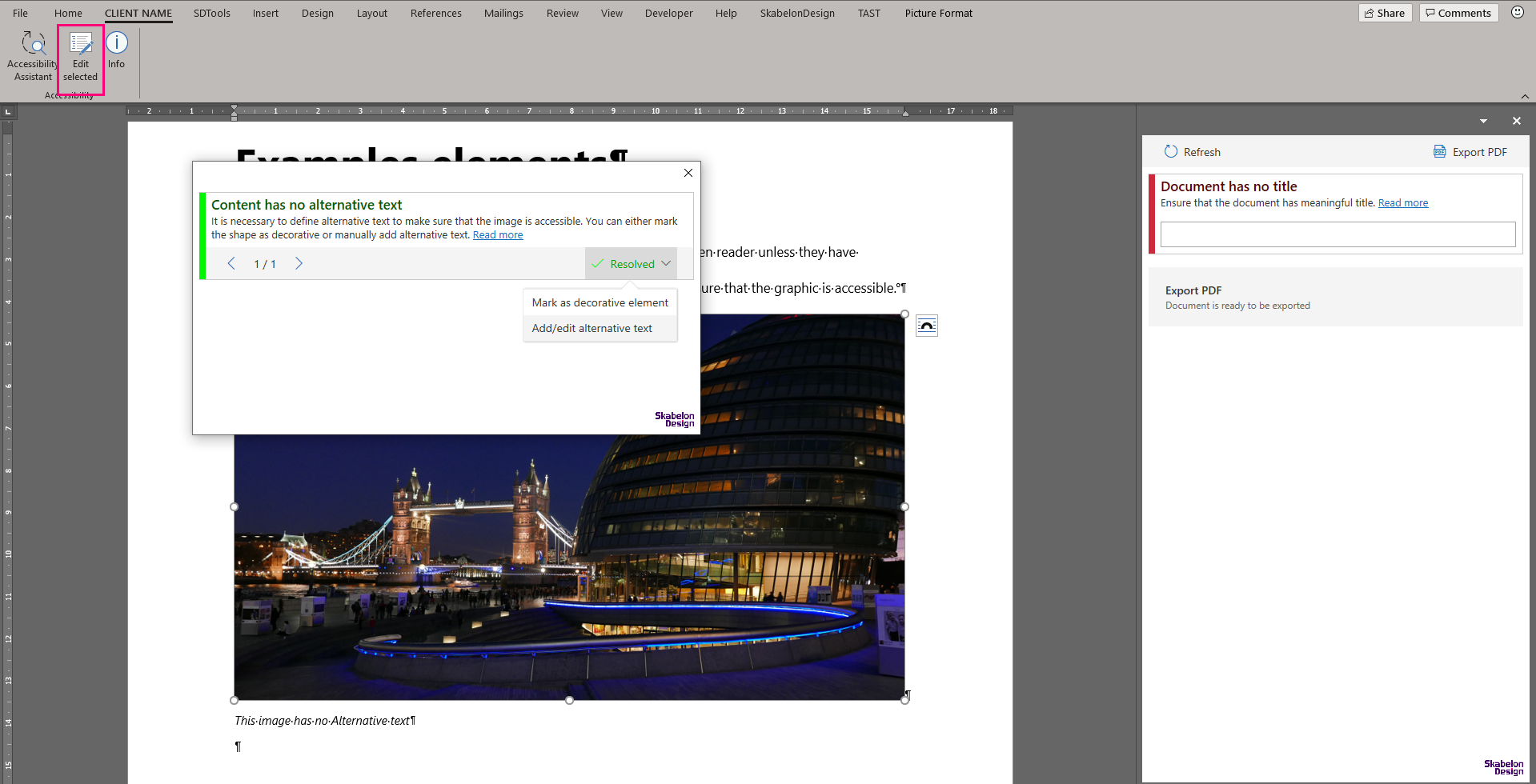
In the image below, the selected image gives no warnings in the AA pane as it has previously been solved by adding Alt Text. The user, wanting to edit the Alt Text, has selected the image before clicking "Edit selected", opening the dialogue.
Was this article helpful?
That’s Great!
Thank you for your feedback
Sorry! We couldn't be helpful
Thank you for your feedback
Feedback sent
We appreciate your effort and will try to fix the article