To ensure accessible workbooks in Excel, make sure shapes are not spanning across multiple pages, meaning one shape will appear on more than one page, as shown below:
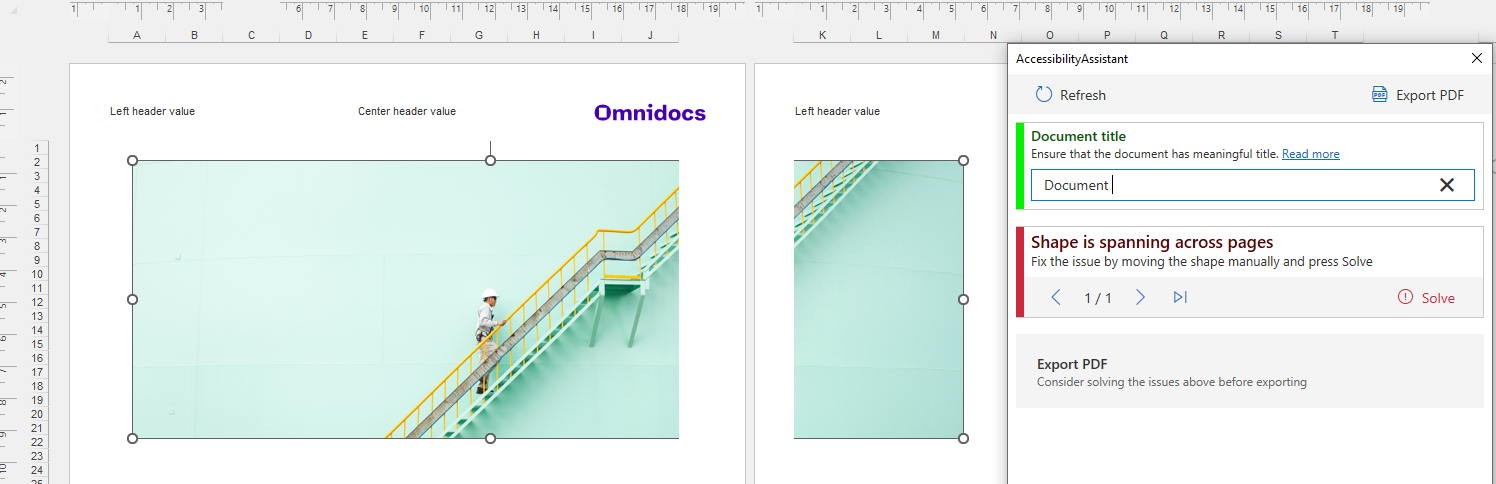
To solve this, move the shape manually into one page and click Solve in the task pane.
Was this article helpful?
That’s Great!
Thank you for your feedback
Sorry! We couldn't be helpful
Thank you for your feedback
Feedback sent
We appreciate your effort and will try to fix the article