FileUpdater error messages
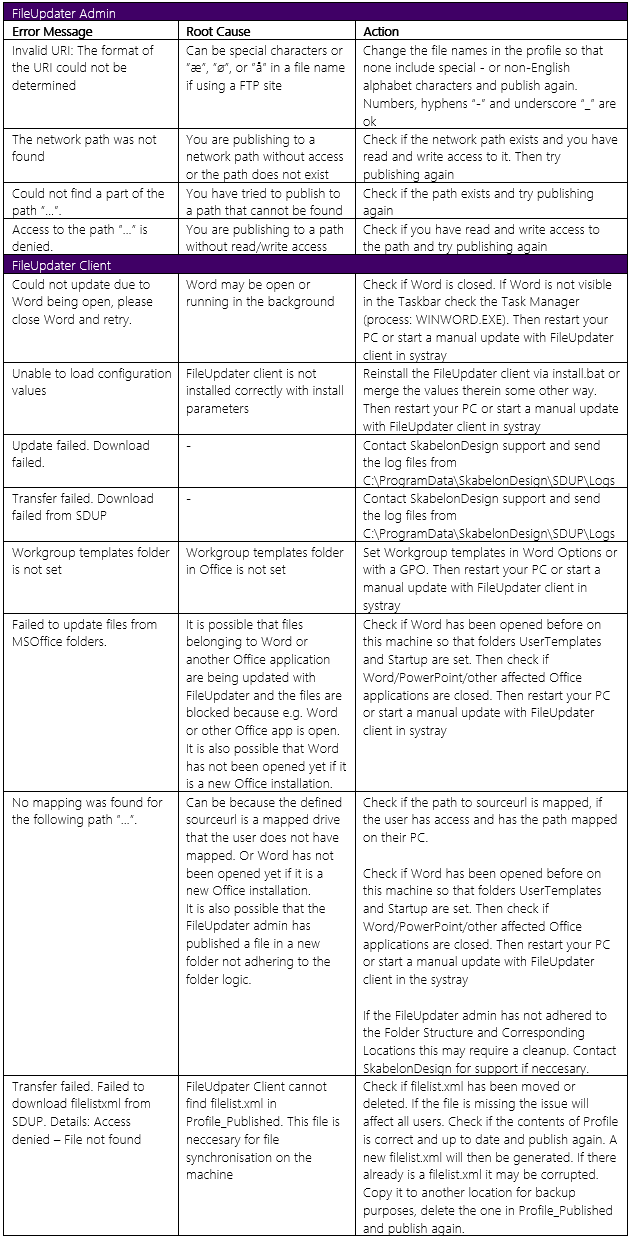
In the table below are typical error messages that can occur in the logs, likely root cause and suggested actions to solve the issue.
Table with FileUpdater error messages for admin and client respectively
If a manually executed update fails an error message will momentarily be visible in the system tray in the lower right corner in a blue dialog box:
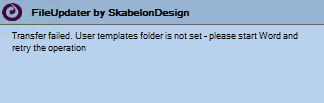
Please note: Users will not see the above dialog if FileUpdater is running normally in the background and an error should occur. It is only if an update is manually triggered and fails.
The information will be available in the FileUpdater logs regardless.
Update regarding "Transfer failed. Could not update due to Word being open
This error message has also been found to appear when files in UserTemplates are not available to update, not necessarily a consequence of Word being open. Recent cases have shown this issue the first time the FileUpdater client runs.
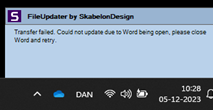
A work around has been to run FileUpdater as administrator the first time keeping in mind to close the Office applications first. Subsequently the update has been working as expected without further issues for the user.
Was this article helpful?
That’s Great!
Thank you for your feedback
Sorry! We couldn't be helpful
Thank you for your feedback
Feedback sent
We appreciate your effort and will try to fix the article