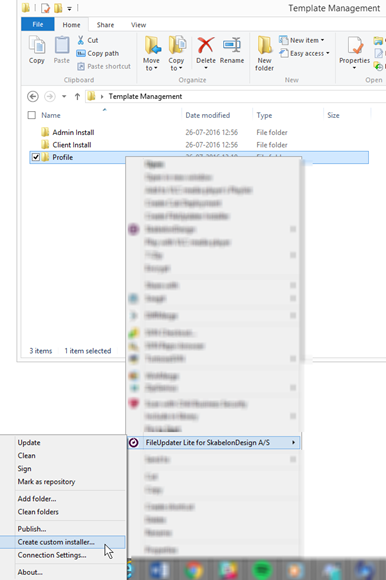
The Client module for users is deployed with installation files. These files are created by right clicking the profile folder, holding the mouse cursor over FileUpdater Lite for [Company Name] and selecting Create custom installer…
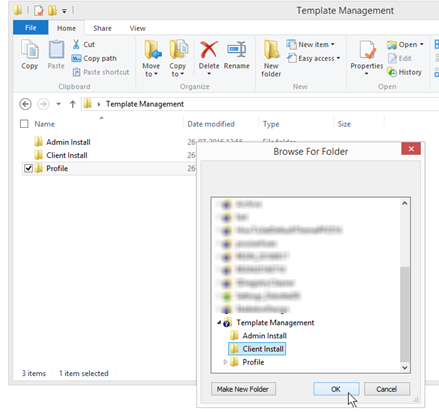
Choose the location where the files are meant to be created and click OK
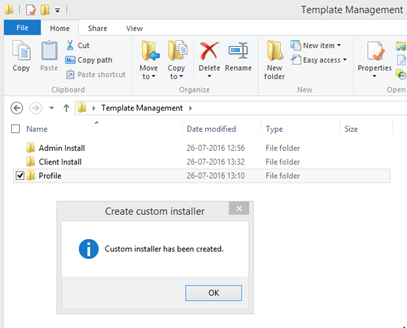
An MSI and a batch file has now been created in the chosen location.
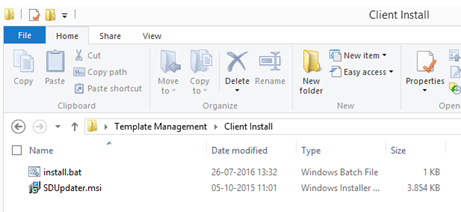
Distribute the MSI and batch file to the users, who can then execute install.bat and thereby install the MSI correctly.
If the deployment tools do not allow the installation of MSI with parameters these can be merged in the registry afterward. Contact Omnidocs for more information about the options.
Was this article helpful?
That’s Great!
Thank you for your feedback
Sorry! We couldn't be helpful
Thank you for your feedback
Feedback sent
We appreciate your effort and will try to fix the article