Introduction
FileUpdater is continuously further developed to accommodate new Office-platforms and operating systems. Inquire with Omnidocs whether an upgrade is necessary if you are changing your environment.
FileUpdater cannot upgrade itself therefore upgrades of FileUpdater are delivered by Omnidocs when needed.
Upgrade FileUpdater Client
To upgrade the client install the new SDUpdater.msi with the parameter UPDATEONLY=TRUE.
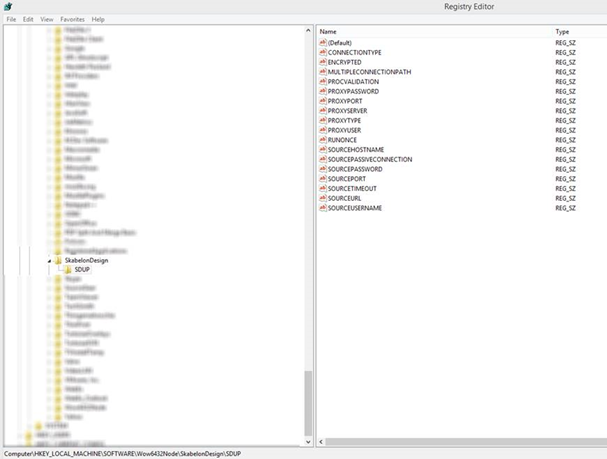
Note that if you simply install the new MSI directly the existing parameters in the registry will be cleared as in the below screenshot where the values have been stripped of their data – and then the FileUpdater will not be able to function.
The installation parameters for the FileUpdater's client can be found in the registry under Computer\HKEY_LOCAL_MACHINE\SOFTWARE\Wow6432Node\SkabelonDesign\SDUP.
The operation in Command Prompt looks like this:
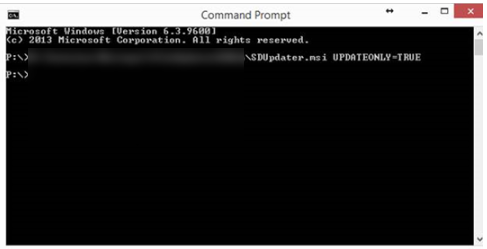
Navigate to the filepath for SDUpdater.msi (or drag and drop the file into the window) add UPDATEONLY=TRUE and push Enter.
Was this article helpful?
That’s Great!
Thank you for your feedback
Sorry! We couldn't be helpful
Thank you for your feedback
Feedback sent
We appreciate your effort and will try to fix the article