Do you see a yellow security warning in Word, as visualized below? Warning you that the macros have been disabled in your document? Don't worry!
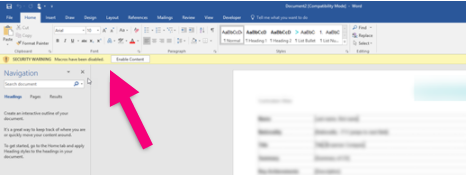
A macro warning is not a bug in Word, but it tells you that some macros are blocked and located in a place that Word is not set to trust.
In Omnidocs, we typically use macros in templates to support your brand, i.e.. to manage colors, styles, images, name tags and more. If a macro is not allowed to run, the functionality is unavailable. The macros in the template are therefore important!
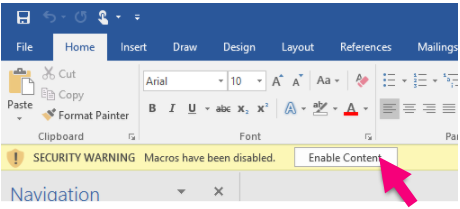
If you trust the provider of the macros, click 'Enable Content' (see below) and the macros will now be allowed to run in the document and the functionalities available.
Was this article helpful?
That’s Great!
Thank you for your feedback
Sorry! We couldn't be helpful
Thank you for your feedback
Feedback sent
We appreciate your effort and will try to fix the article