PowerPoint supports a custom startup template. This file is called Blank.potx, and is located by default in the UserTemplates folder defined in Word. By default the folder will be %appdata%\Microsoft\Templates.
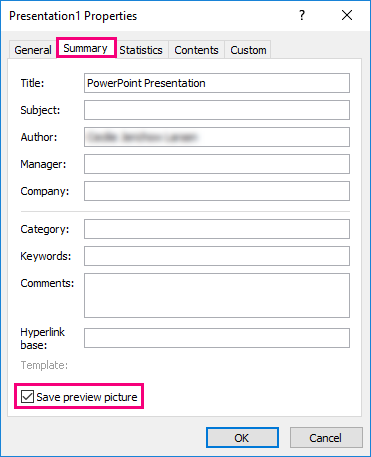
To have a proper preview displayed when using a custom Blank.potx in the start screen introduced in Office 2013 and later, you need to check the box that says Save Thumbnail when saving your custom made Blank.potx. As such:
Go to the Info pane:
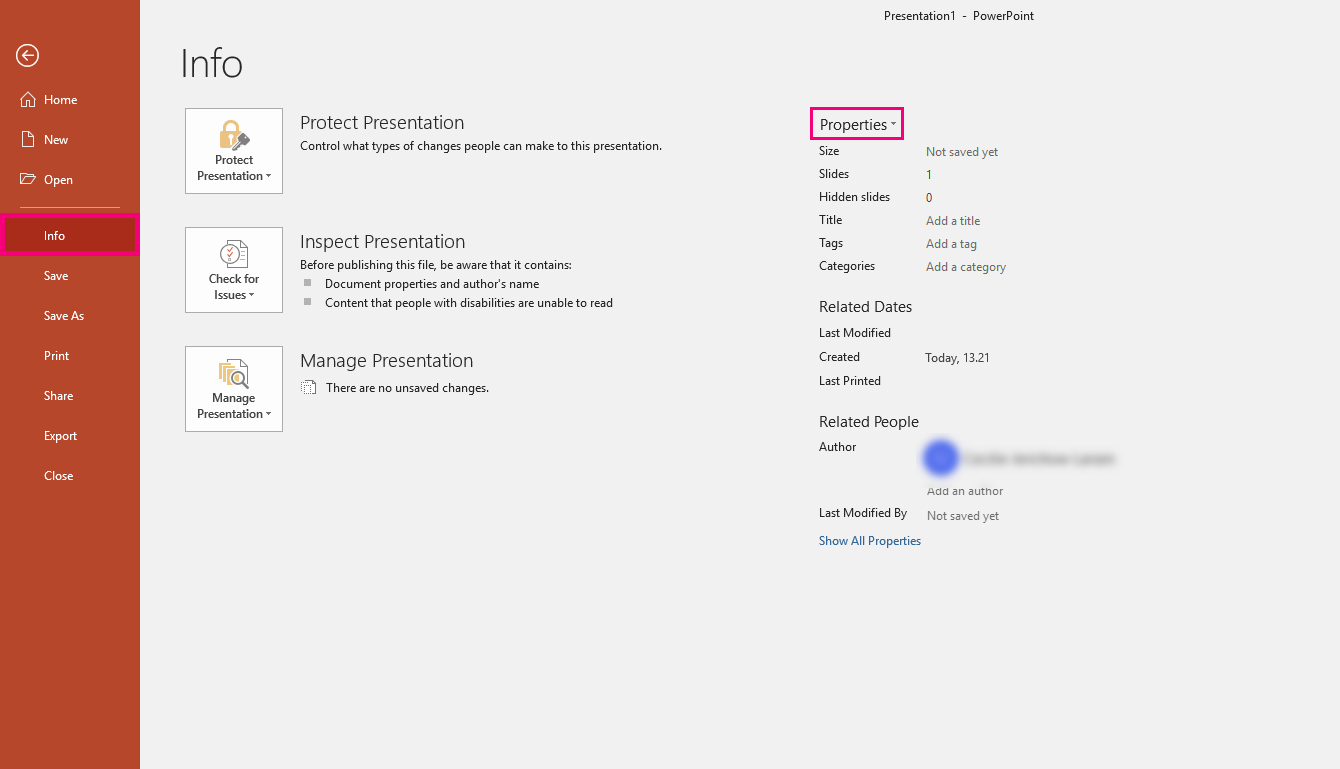
Click Properties, Summary and check the box for Save preview picture:
Was this article helpful?
That’s Great!
Thank you for your feedback
Sorry! We couldn't be helpful
Thank you for your feedback
Feedback sent
We appreciate your effort and will try to fix the article