Who is affected?
This is an issue with a new version of Office that is only included in the Early Access updates (most of our customers run the bi-annual update stream from Microsoft and are not affected).
The issue of frozen or white task panes has been identified for different VSTO (COM) add-ins including Templafy and those of other companies. In Omnidocs, we have thus far only seen it for SlideShopper and ImageShopper.
The issue can be easily be fixed manually and accross the organization.
Root cause - Bug in new MS Office release
Our sister company, Templafy, has reported the issue to Microsoft. Microsoft has confirmed the bug.
Solution
Microsoft has responded that a newer version of Microsoft Office alone cannot fix the issue, but upgrading your Windows 10 and Microsoft Office versions to the latest versions will solve the issue.
Required versions:
- Windows 10 Build 1803 or later
- Office Build 16.0.9330.1000 or later
If upgrading your Windows is not possible, an immediate fix is to change your "User Interface options" in Office (per application) to "Optimize for compatibility". See screenshot below.
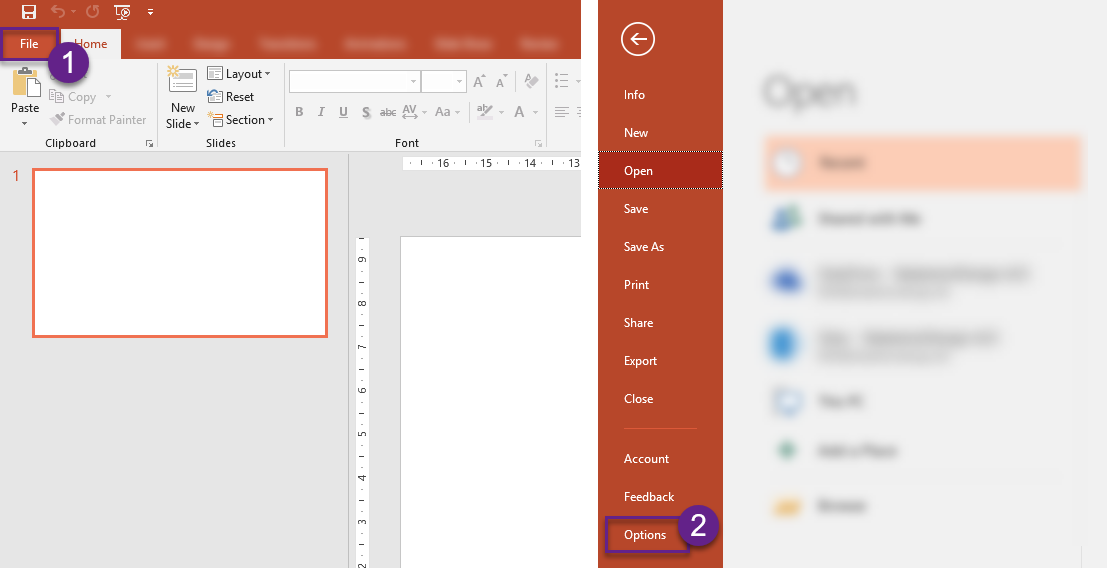
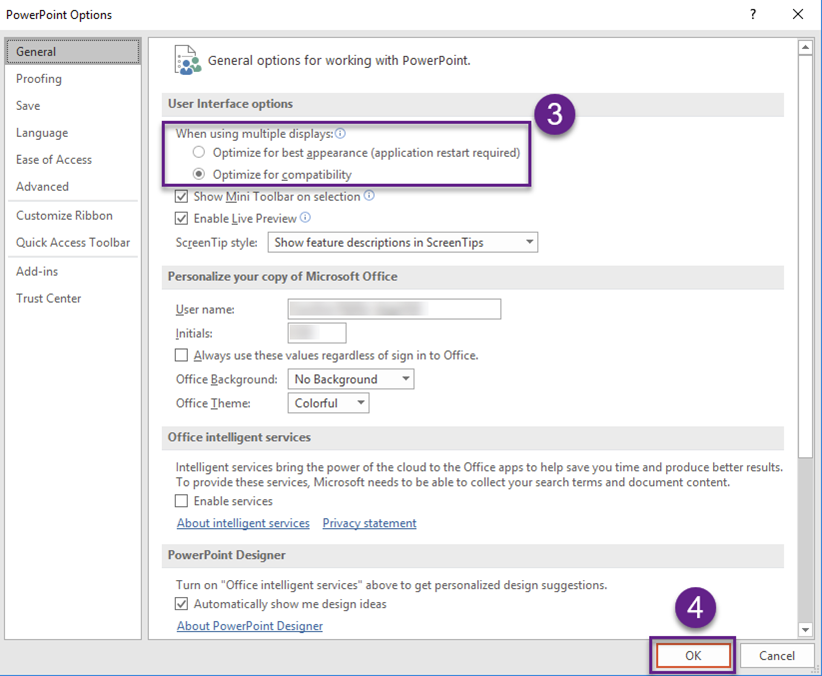
The above solution can also be applied by adding the below Registry Entry, either via GPO by publishing with FileUpdater if installed.
The key provided in the attached file below includes the above setting for Word, PowerPoint, Excel and Outlook.
Was this article helpful?
That’s Great!
Thank you for your feedback
Sorry! We couldn't be helpful
Thank you for your feedback
Feedback sent
We appreciate your effort and will try to fix the article